Comparison
WattMate vs MacBookBatteryMonitor: which per-app watts to trust
- Published
- Updated
Which is better, MacBookBatteryMonitor or WattMate?
If you want a free per-app battery list from the Mac App Store, WattMate is the better pick: its App Store edition is free, with a $9.99 Pro upgrade. If you want per-app watts you can trust and the power to limit an app, MacBookBatteryMonitor: WattMate's method of doubling CPU energy saw 61.31% of the energy across our lab runs, while MacBookBatteryMonitor's power readings are 99.63% accurate. It caps an app's CPU from 10% to 100% and costs $9 once as of October 2026, against $9.99 a year or $29 once for WattMate Pro.
WattMate and MacBookBatteryMonitor both list apps by watts in the menu bar. WattMate doubles each app's CPU energy; across our lab runs that method saw 61.31% of the energy, and 33.05% on a MacBook Pro. MacBookBatteryMonitor measures your whole Mac and splits it between your apps, with 99.63% accurate power readings.
 vs
vs
Price
In US dollars, as of October 2026.
MacBookBatteryMonitor69% lessWattMateSide by side
How each app's watts are counted
WattMate doubles each app's CPU energy and averages it over about 6 minutes. MacBookBatteryMonitor measures your whole Mac every second, breaks it into CPU, GPU, memory, display and every other part, and splits it between your apps, with 99.63% accurate power readings.
MacBookBatteryMonitorWinner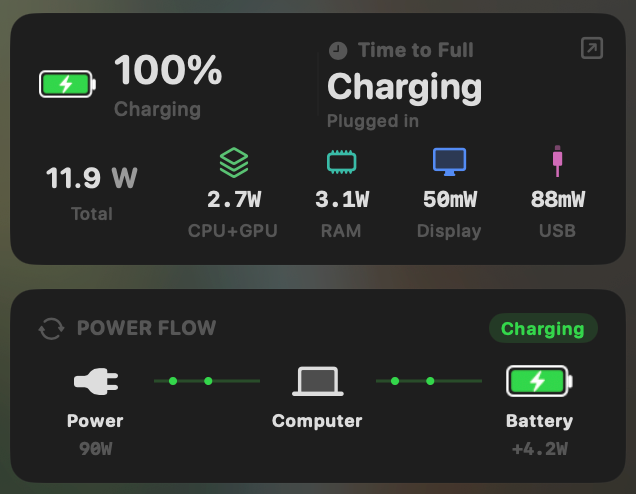
- Yes:Live per-app power draw · Process-level, real-time
- Yes:System total power draw · Live, in watts
- Yes:Power breakdown by component · CPU / GPU / RAM / Display / USB
WattMate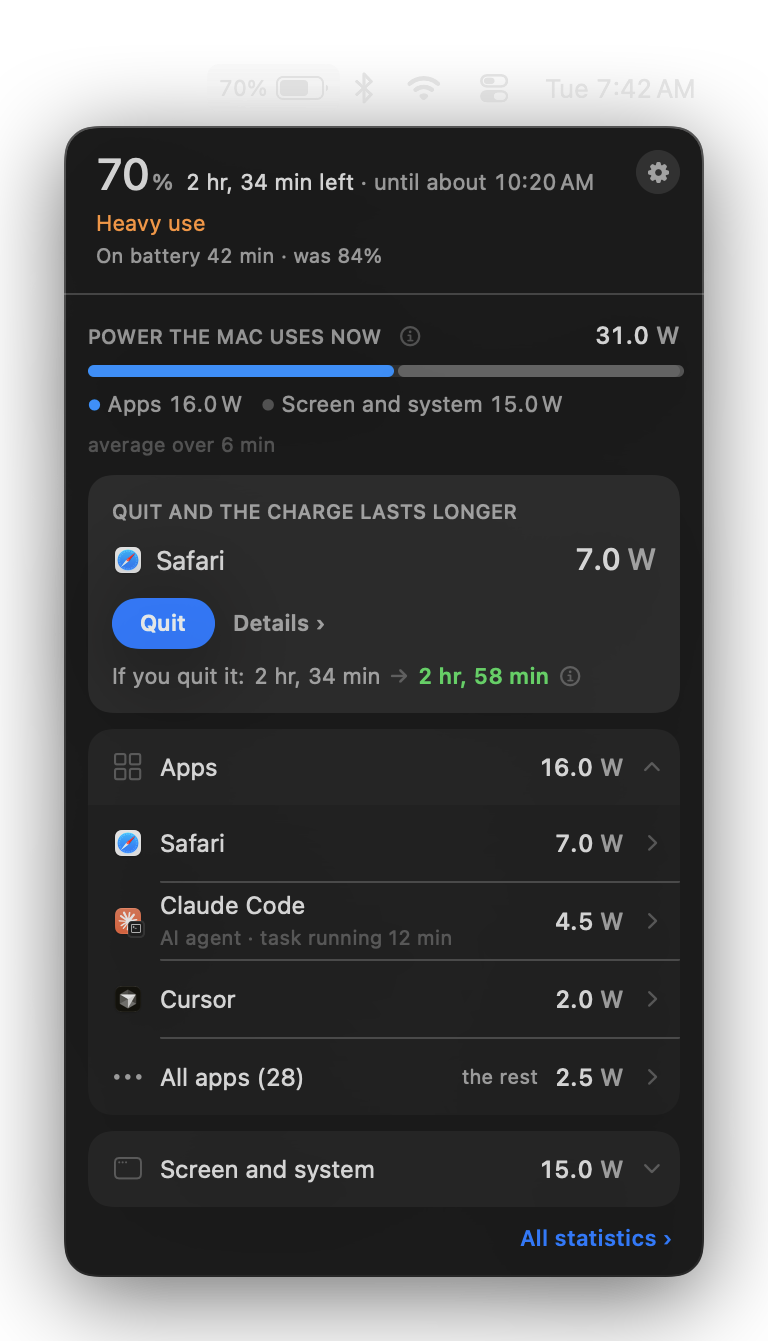
- Partial:Live per-app power draw · CPU energy x 2, 6-minute average
- Yes:System total power draw · Refreshes about once a minute
- Partial:Power breakdown by component · CPU / GPU / ANE / system, no display line
Limiting an app's power without quitting it
WattMate can quit an app and nothing more. MacBookBatteryMonitor caps an app's CPU from 10% to 100%, moves it onto the efficiency cores, and applies the limit always, only on battery, or below a battery level you choose.
MacBookBatteryMonitorWinner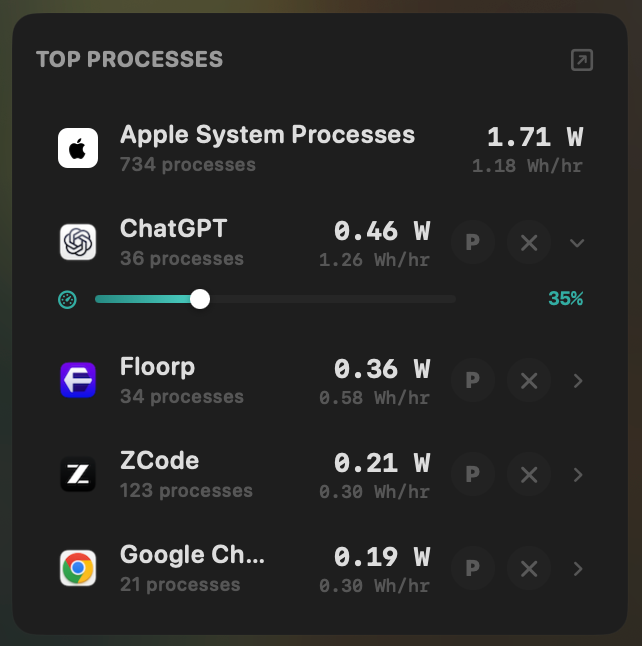
- Yes:Per-app CPU throttle · 10% to 100% slider
- Yes:E-core offload · Per-app toggle
- Yes:One-click kill · Runaway apps + subprocesses
- Yes:Hidden-workload detection · Docker, cloudflared, launchd
WattMate- No:Per-app CPU throttle
- No:E-core offload
- Yes:One-click kill · Quit; not in the App Store edition
- Partial:Hidden-workload detection · Unreadable daemons go to "Background work"
Charge limit and Sailing Mode
WattMate leaves charging to macOS. MacBookBatteryMonitor sets a 50% to 100% charge limit over SMC, sails down to it while plugged in, and switches on Low Power Mode by itself below a threshold you set.
MacBookBatteryMonitorWinner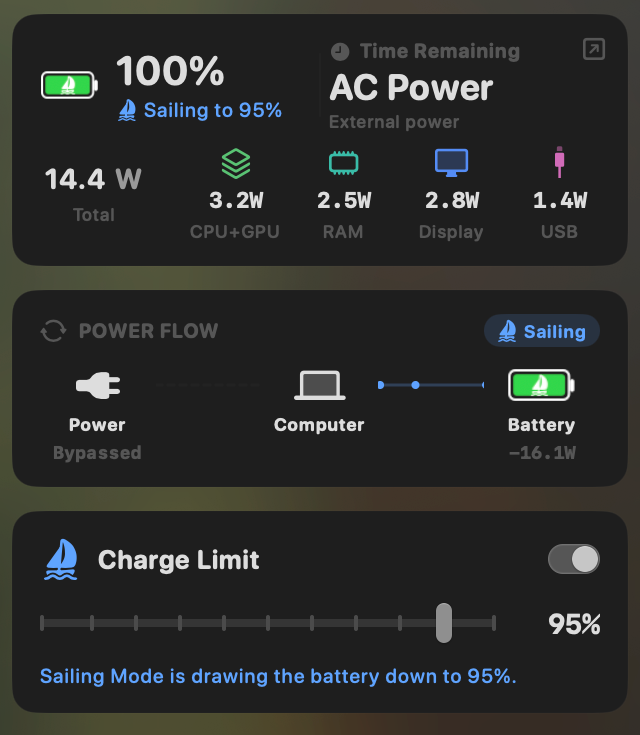
- Yes:Charge limit · 50% to 100% via SMC
- Yes:Sailing mode · Discharge while plugged in
- Yes:Low Power Mode automation · Auto below a threshold
WattMate- No:Charge limit · Left to macOS
- No:Sailing mode
- No:Low Power Mode automation
Battery health
Both read health, cycle count, and temperature. MacBookBatteryMonitor adds the design cycle limit and a condition label.
MacBookBatteryMonitorDraw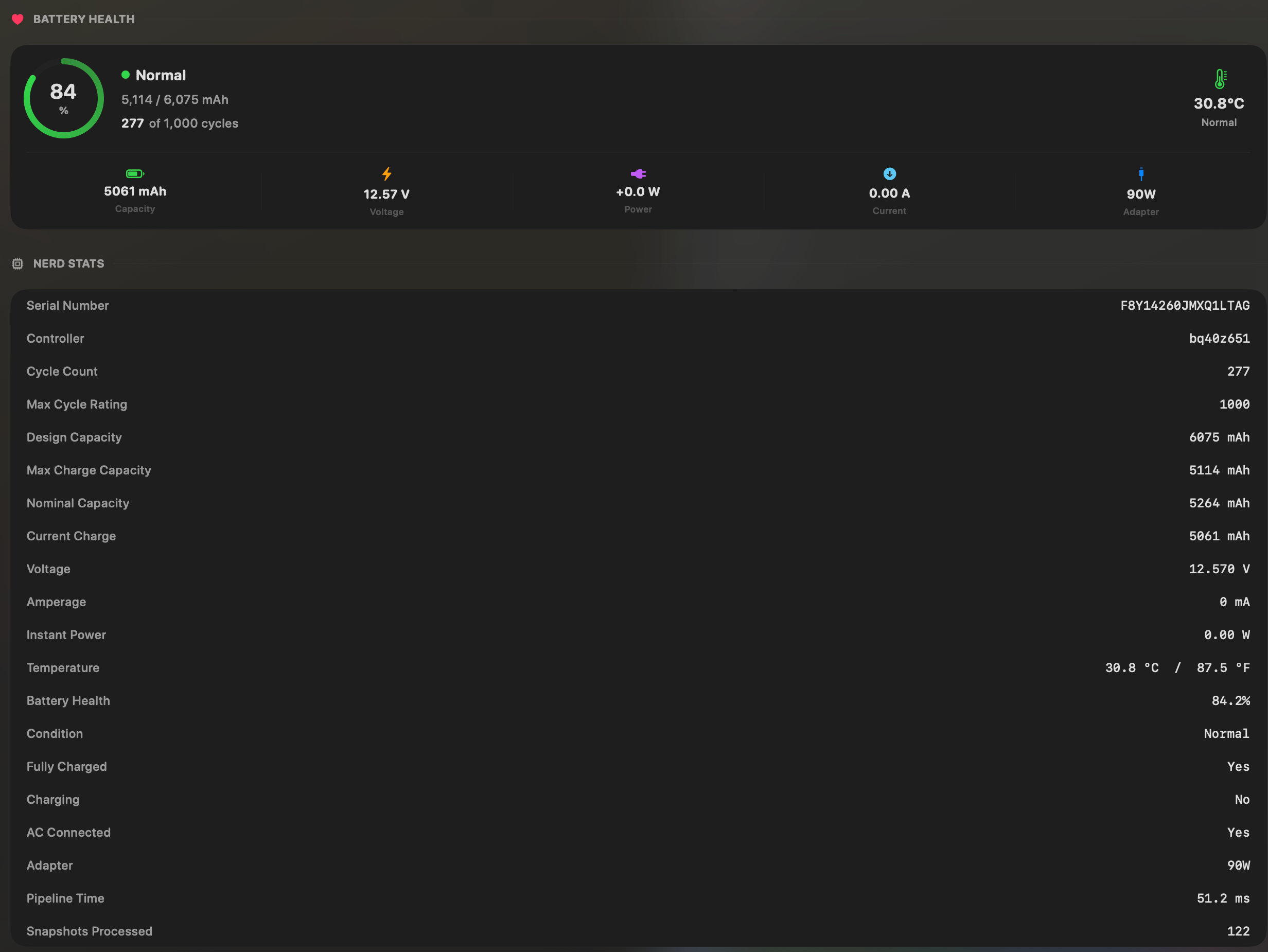
- Yes:Battery health % · Health % + condition label
- Yes:Cycle count · Cycles + design cycle count
- Yes:Battery temperature · °C / °F with status label
WattMateDraw- Yes:Battery health %
- Yes:Cycle count
- Yes:Battery temperature
Menu bar and history
Both live in the menu bar. WattMate writes history only on battery and keeps 48 hours of detail. MacBookBatteryMonitor charts each app from 1 hour to 7 days and keeps 30 days of every-process data, on battery and on the charger.
MacBookBatteryMonitorWinner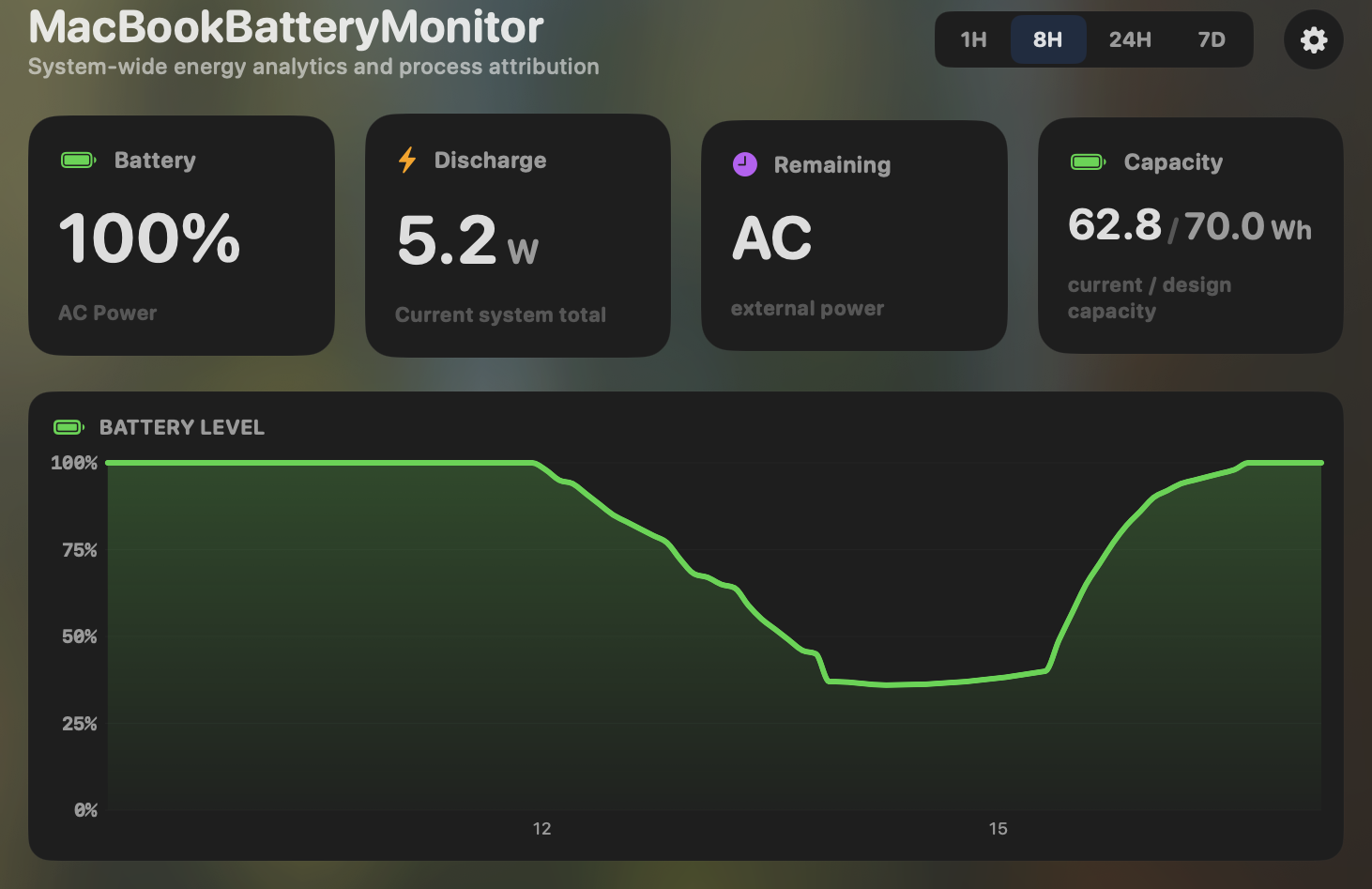
- Yes:Menu-bar first · Native, configurable icon
- Yes:History charts · 1h / 8h / 24h / 7d, per app
WattMate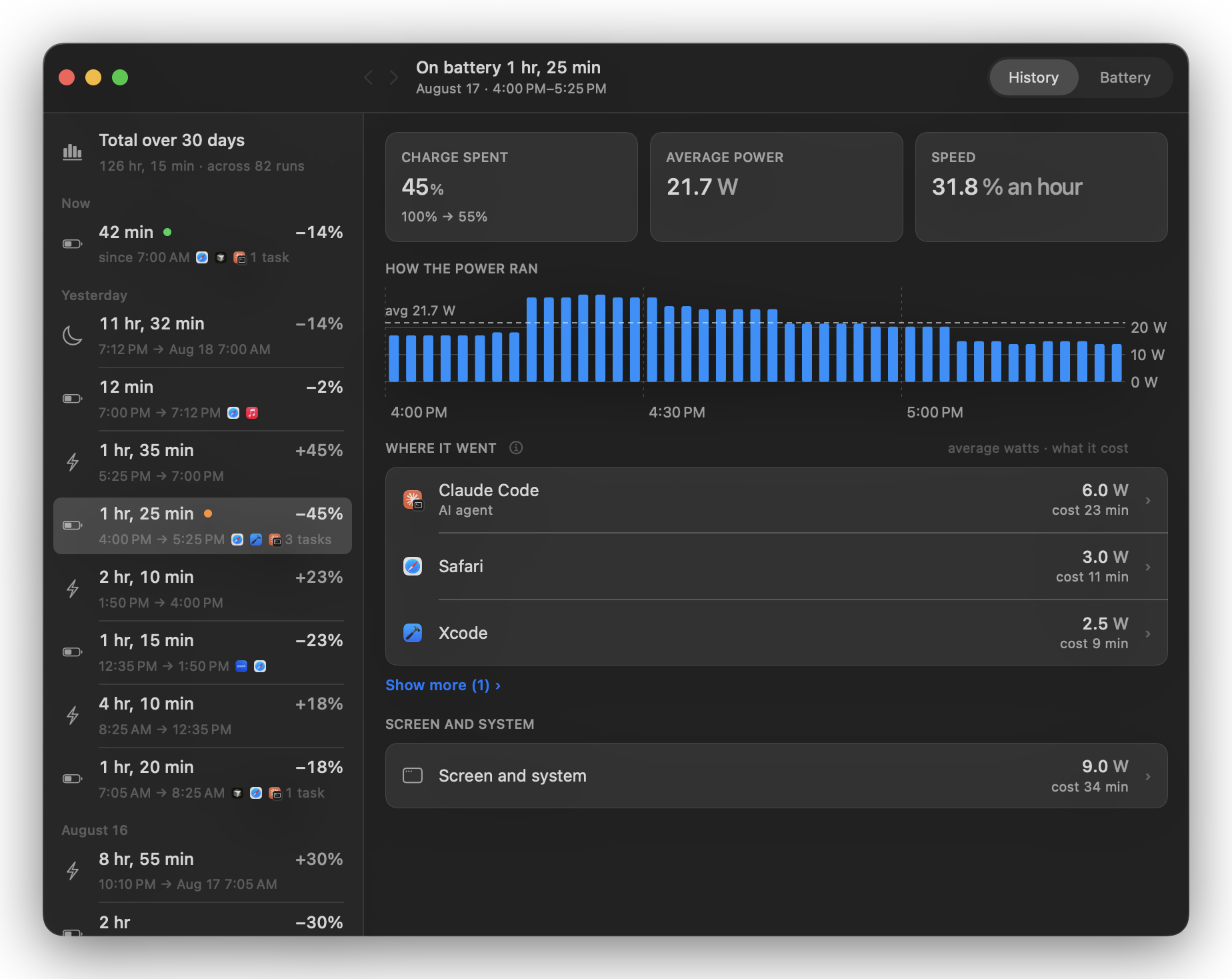
- Yes:Menu-bar first
- Partial:History charts · On battery only, 48 h of detail
Feature comparison
Features and prices as of October 2026.
MacBookBatteryMonitorWhy consider MacBookBatteryMonitor
See the drain, then do something about it
WattMate doubles each app's CPU energy and averages the result over about 6 minutes. MacBookBatteryMonitor measures every second with 99.63% accurate power readings, shows exactly which app is draining your battery, and limits that app's power without quitting it. $9 once as of October 2026.
What WattMate does
WattMate is a menu bar app from solo developer Vitali Staradubau. Version 1.0 shipped on 12 August 2026 and version 1.5 on 16 October 2026. It lists apps by battery watts with helpers grouped, splits the Mac into CPU, GPU, Neural Engine and system, reads battery health, logs overnight wakes, and prints a "receipt" that re-measures the Mac 2 minutes after you quit an app. Its "How we count" page explains the per-app number: every joule of processor energy an app's kernel counter records is counted as 2 joules from the battery. WattMate calls the factor of 2 "a rounded compromise", says the real ratio was mostly below 2 on the Macs it tested, and applies the same rate on every Mac without measuring yours. By its own description the GPU split between apps is approximate, Neural Engine and video energy are never assigned to an app, and the display has no line of its own. Its counters refresh about once a minute, every figure is an average over about 6 minutes, and the process list is polled every 10 to 30 seconds. History is recorded only on battery, and detailed measurements are kept for 48 hours. WattMate cannot limit an app's power, move it to the efficiency cores, or limit charging. As of October 2026, Pro costs $9.99 a year or $29 once. The Mac App Store edition is free with a $9.99 Pro upgrade, and it cannot close apps, read the sleep log, or count helpers after they quit.
What MacBookBatteryMonitor does
MacBookBatteryMonitor starts from your whole Mac's measured power. It measures your whole Mac's power every second, breaks it into 16 parts (CPU, GPU, Neural Engine, memory, display, SSD, network, USB and more) that add up to the total, and splits it between your apps by how much work each one does, so every app's share adds up to what your Mac actually drew. Its adaptive algorithm tunes itself to your exact Mac in the first 15 minutes, and from then on its power readings are 99.63% accurate across our lab runs on an M1 Max MacBook Pro and an M2 Mac mini, checked against power measured at the battery and at the device. Helpers roll up into their app, short-lived build and test workers are counted, and Docker containers, cloudflared and launchd services are tied to the process hosting them. Per-app charts run from 1 hour to 7 days, and 30 days of every-process data stay on the Mac at full resolution, on battery and on the charger. Then it acts on what it finds: cap any app's CPU from 10% to 100%, push it onto the efficiency cores, apply the rule always, only on battery, or below a battery level you pick, or quit a runaway app in one click. It also sets a 50% to 100% charge limit with Sailing Mode. As of October 2026, it costs $9 once, with lifetime updates.
Which one should you pick?
For per-app watts you can trust, pick MacBookBatteryMonitor. Doubling CPU power leaves most of a MacBook's draw uncounted. In a real working session on a 16-inch M1 Max MacBook Pro, WattMate's method saw 33.05% of the energy the Mac used, and MacBookBatteryMonitor saw 99.52%. Across all our lab runs, the doubling method saw 61.31%, and MacBookBatteryMonitor's power readings were 99.63% accurate. MacBookBatteryMonitor also reads your Mac's power every second where WattMate averages over about 6 minutes, keeps 30 days of every-process data on battery and on the charger where WattMate keeps 48 hours of detail from battery runs only, and limits an app's power, which WattMate cannot do at all. At $9 against WattMate's $29 lifetime license as of October 2026, it costs less too.
Related guides
Frequently asked questions
Which shows per-app watts more accurately, WattMate or MacBookBatteryMonitor?
MacBookBatteryMonitor. It measures your whole Mac's power and splits it between your apps by how much work each one does, so every app's share adds up to what your Mac actually drew, and its power readings are 99.63% accurate. WattMate doubles each app's CPU energy and averages over about 6 minutes. In a real working session on a 16-inch M1 Max MacBook Pro, that method saw 33.05% of the energy the Mac used, and 61.31% across all our lab runs.
Can WattMate limit an app's power?
No. WattMate can quit an app (except in its App Store edition), and that is the only action it has. MacBookBatteryMonitor caps any app's CPU from 10% to 100%, enforced by the macOS kernel within a 1-second window, moves apps onto the efficiency cores, and applies those limits always, only on battery, or below a battery level you set.
Does WattMate record history while the Mac is plugged in?
No. WattMate records history only on battery and keeps detailed measurements for 48 hours. MacBookBatteryMonitor records on battery and on the charger, charts each app from 1 hour to 7 days, and keeps 30 days of every-process data at full resolution, including processes under 10 mW.
How much do WattMate and MacBookBatteryMonitor cost?
As of October 2026, MacBookBatteryMonitor is $9 once with lifetime updates. WattMate Pro is $9.99 a year or $29 once from its own site. The Mac App Store edition of WattMate is free with a $9.99 Pro upgrade and cannot close apps.
Sources
Feature and pricing claims on this page come from WattMate’s own documentation and Apple’s published guidance.