Comparison
coconutBattery vs MacBookBatteryMonitor
coconutBattery has been the go-to tool for a quick battery-health number since the PowerPC era. Here is how it compares with MacBookBatteryMonitor, which started from the opposite question: what is draining the battery.
 vs
vs
Price
In US dollars.
MacBookBatteryMonitor50% lesscoconutBatterySide by side
Finding the app that is draining the battery, and stopping it
coconutBattery reads the battery and stops there. MacBookBatteryMonitor ranks every running app by watts, flags hidden workloads like Docker and launchd, and puts a CPU cap, an E-core offload toggle, and a kill button on each row.
MacBookBatteryMonitorWinner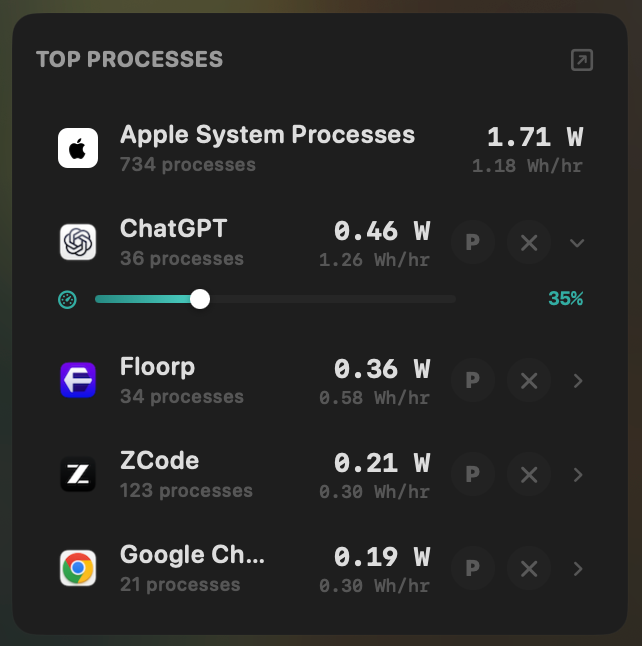
- Yes:Live per-app power draw · Process-level, real-time
- Yes:Hidden-workload detection · Docker, cloudflared, launchd
- Yes:Per-app CPU throttle · 10% to 100% slider
- Yes:E-core offload · Per-app toggle
- Yes:One-click kill · Runaway apps + subprocesses
coconutBattery- No:Live per-app power draw
- No:Hidden-workload detection
- No:Per-app CPU throttle
- No:E-core offload
- No:One-click kill
Seeing where the power goes
coconutBattery shows the current discharge rate as one number. MacBookBatteryMonitor shows the live total split into CPU+GPU, RAM, display, and USB, with a Power Flow diagram from charger to battery.
MacBookBatteryMonitorWinner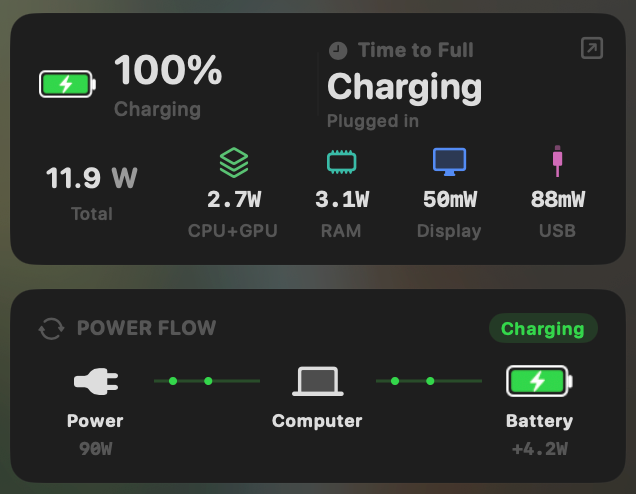
- Yes:System total power draw · Live, in watts
- Yes:Power breakdown by component · CPU / GPU / RAM / Display / USB
coconutBattery- No:System total power draw
- No:Power breakdown by component
Charge limit and Sailing Mode
coconutBattery has no charge control. MacBookBatteryMonitor sets a 50% to 100% charge limit over SMC, sails the battery down to it while plugged in, and switches on Low Power Mode by itself below a threshold you set.
MacBookBatteryMonitorWinner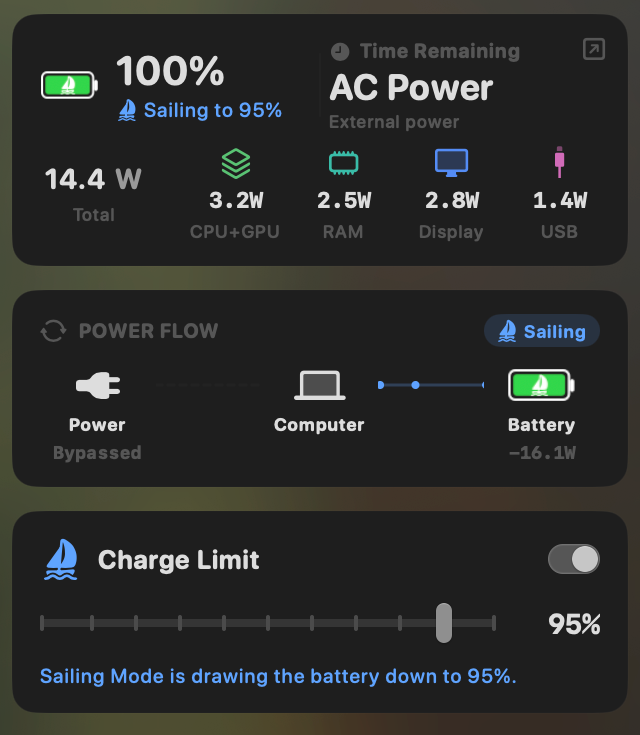
- Yes:Charge limit · 50% to 100% via SMC
- Yes:Sailing mode · Discharge while plugged in
- Yes:Low Power Mode automation · Auto below a threshold
coconutBattery- No:Charge limit
- No:Sailing mode
- No:Low Power Mode automation
Battery health
This is coconutBattery's home turf: health, cycles, capacity, and temperature for the Mac and any plugged-in iPhone or iPad. MacBookBatteryMonitor shows the same Mac vitals plus the design cycle limit and a condition label.
MacBookBatteryMonitorDraw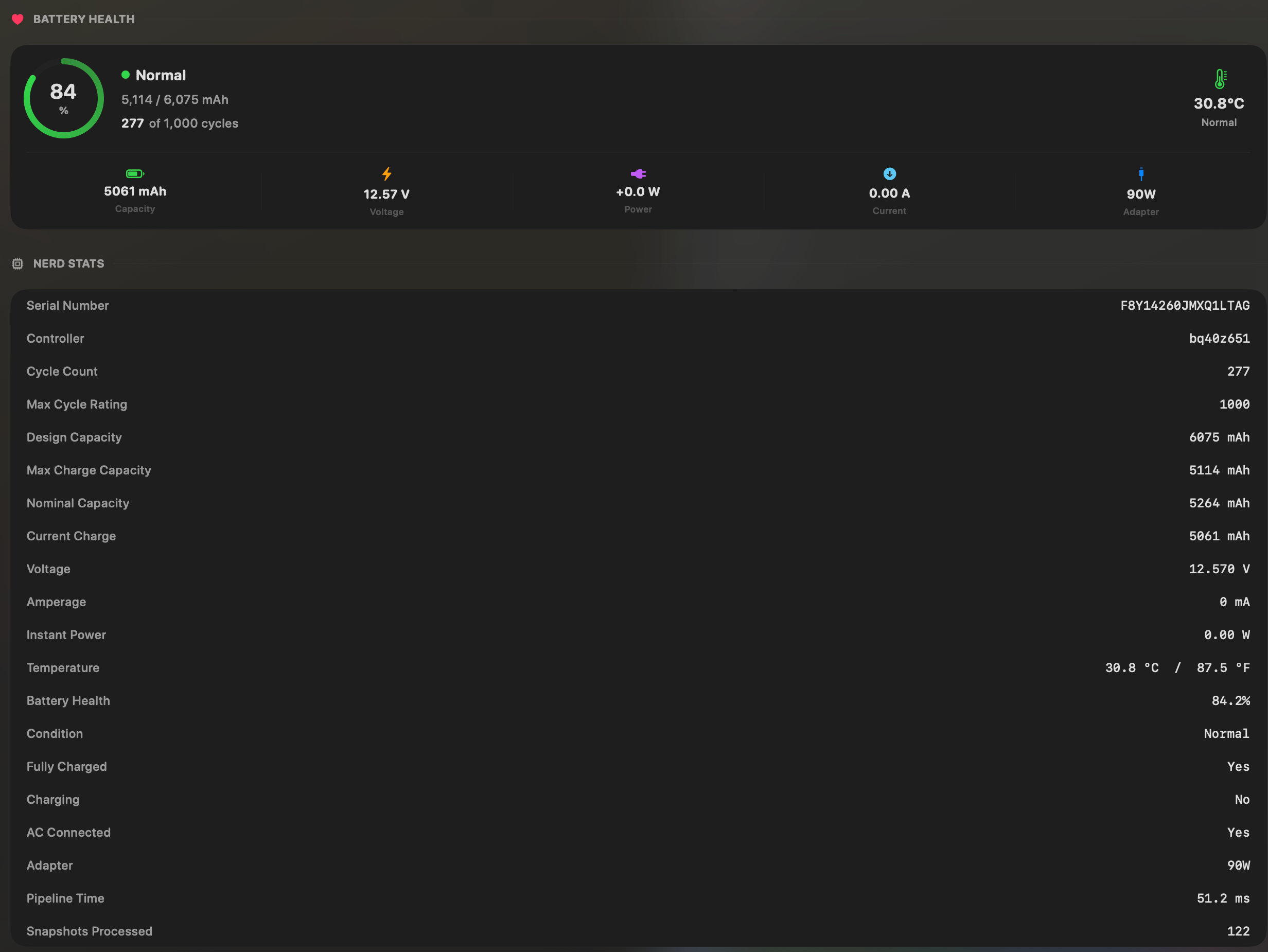
- Yes:Battery health % · Health % + condition label
- Yes:Cycle count · Cycles + design cycle count
- Yes:Battery temperature · °C / °F with status label
coconutBatteryDraw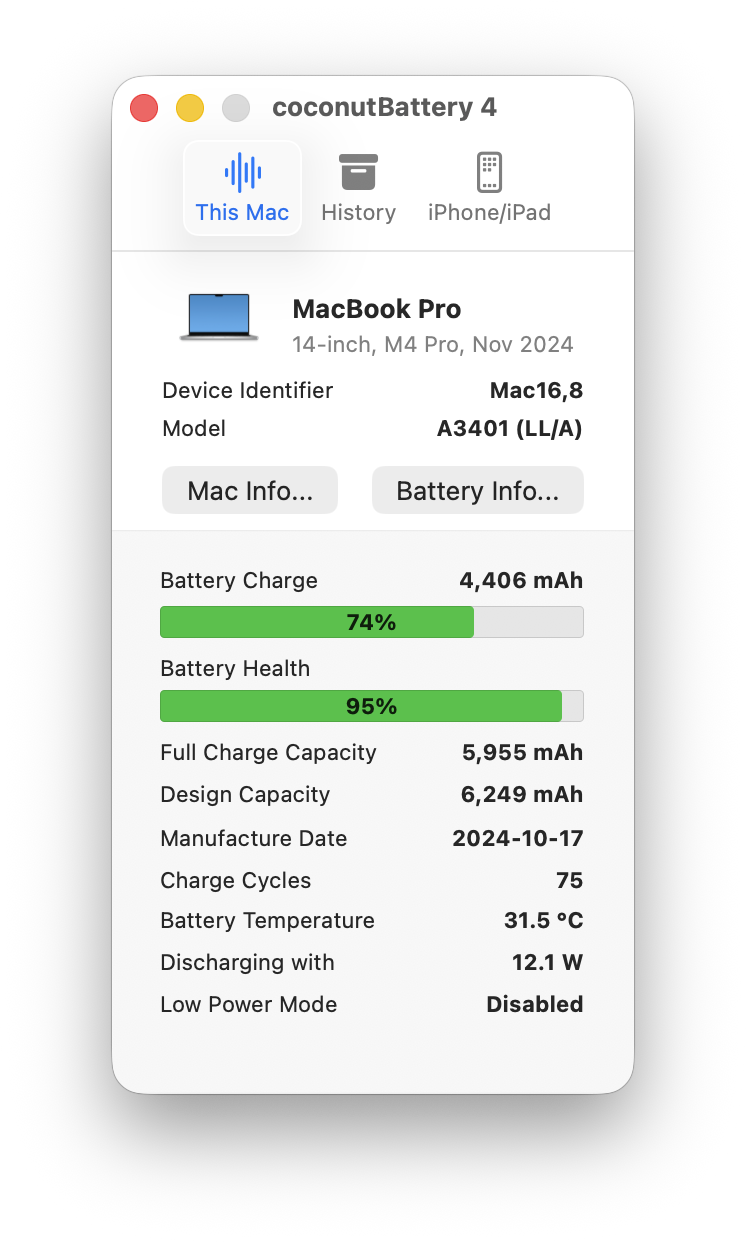
- Yes:Battery health % · Core feature
- Yes:Cycle count
- Yes:Battery temperature
Menu bar and history
coconutBattery is a window by default; the menu bar readout and the Lifetime Analyzer history are Plus features. MacBookBatteryMonitor lives in the menu bar and keeps a battery level history in the free trial and the paid app alike.
MacBookBatteryMonitorWinner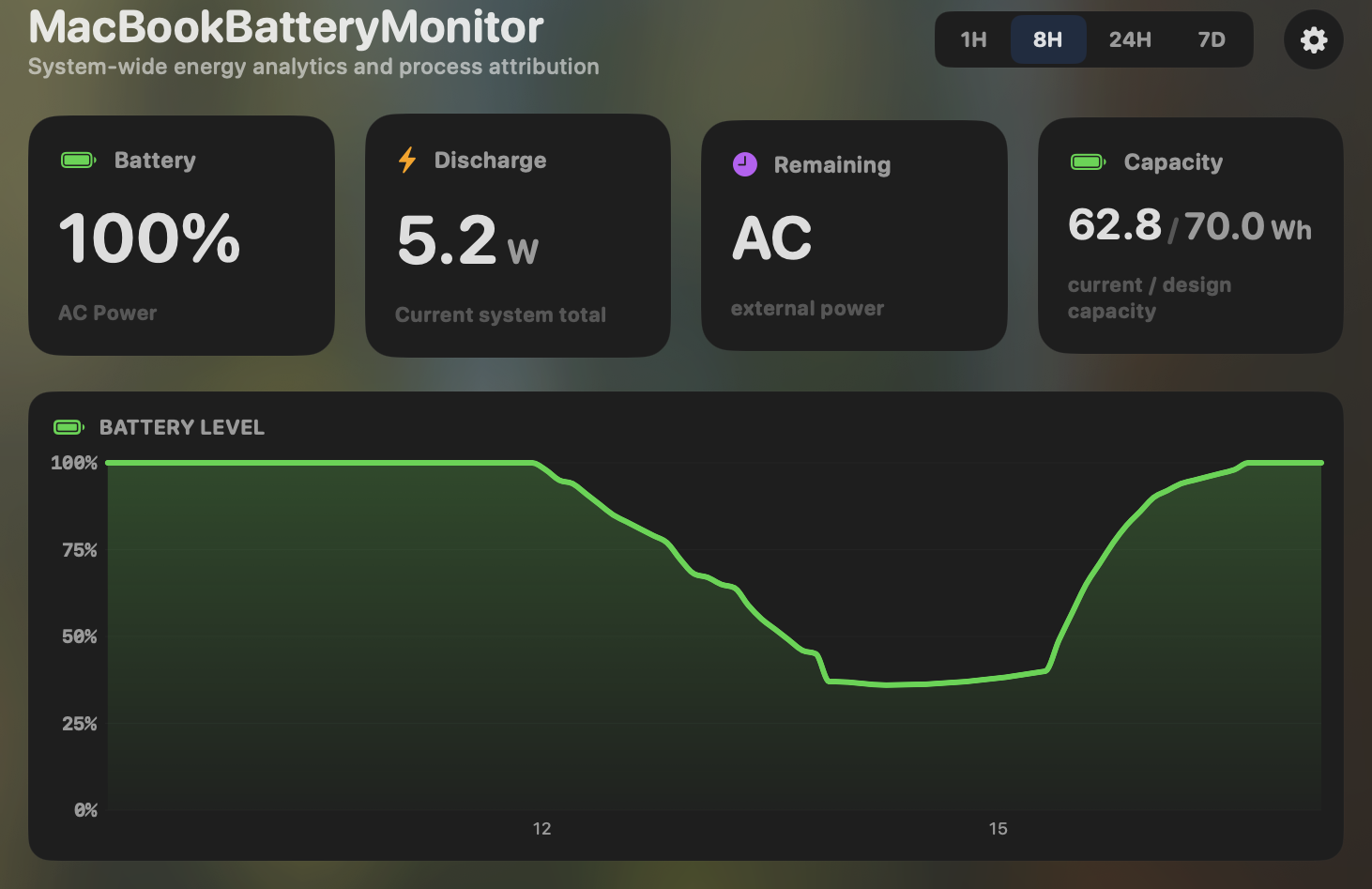
- Yes:Menu-bar first · Native, configurable icon
- Yes:History charts · 6h / 24h / 7d + per-app
coconutBattery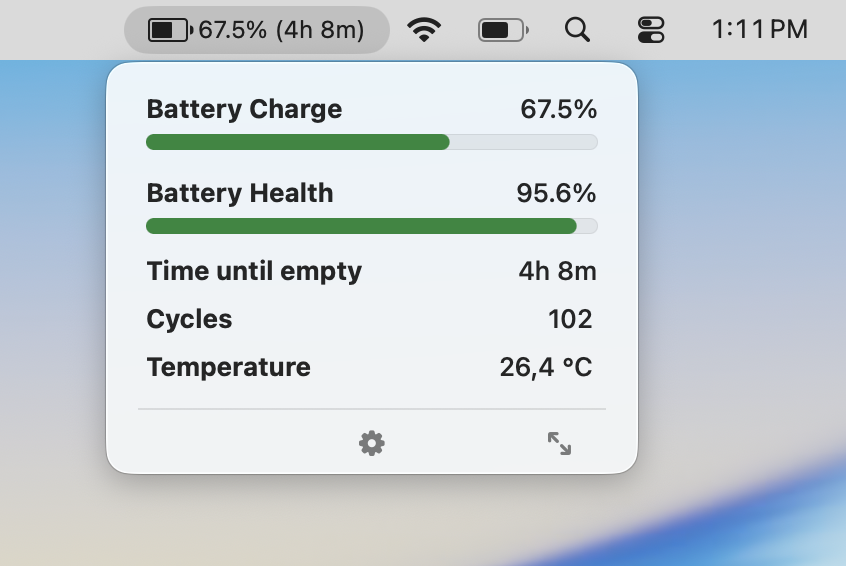
- Partial:Menu-bar first · Plus-only; free is windowed
- Partial:History charts · Plus "Lifetime Analyzer" only
Feature comparison
 MacBookBatteryMonitor
Why consider MacBookBatteryMonitor
See the drain, then do something about it
coconutBattery tells you the battery's health. MacBookBatteryMonitor tells you that, plus which app is draining it in watts, and lets you cap charging. One price, no subscription.
What coconutBattery does
coconutBattery is a free Mac utility that reads your battery and prints out its vitals: health percentage, cycle count, current and design capacity in milliamp-hours, temperature, voltage, and amperage. It also reads the same data from a connected iPhone or iPad over USB. The Plus tier, a one-time $12.95 to $17.95, adds Wi-Fi sync for iOS devices, low-battery alerts, and a "Lifetime Analyzer" that summarises temperature, voltage, and charge rate over the battery’s life. The free version is a window you open when you want a number, then close. There is no process list, no charge control, and no menu-bar-first design in the free tier. It runs on macOS 12 and up, including Intel Macs, and it has been the recommended tool for "what is my battery health" for roughly two decades. For that specific question, it remains the right answer.
What MacBookBatteryMonitor does
MacBookBatteryMonitor started from the question coconutBattery does not ask: why is my battery draining. It lives in the menu bar and shows, in real time, how many watts each running app is pulling, plus a system total and a breakdown by component (CPU, GPU, RAM, display, USB). It also surfaces hidden drain from Docker containers, cloudflared tunnels, and launchd agents, which rarely show up cleanly elsewhere. On the battery-health side it shows the same vitals coconutBattery does, plus the design-cycle limit so you have a target to compare against. Where it diverges is control: a charge limit slider from 50% to 100% over SMC, a Sailing Mode that discharges the battery to your limit while plugged in, Low Power Mode that switches itself on below a threshold you set, and per-app actions including a CPU throttle, an E-core offload toggle, and a one-click kill for runaway processes. It is Apple-Silicon-only on macOS 14.6 and up, and it is a paid one-time purchase with a 7-day trial. There is no subscription.
Which one should you pick?
These tools answer different questions. coconutBattery tells you how healthy your battery is, for free, including on iPhones, iPads, and Intel Macs. It is hard to beat for that job. MacBookBatteryMonitor assumes you already know the health number and want to do something about battery life: see which apps are drawing power, cap or steer the charge, and throttle or kill the things draining you. If you want a quick health reading, coconutBattery. If you want to understand and act on drain, MacBookBatteryMonitor. Plenty of people will reasonably keep both installed.
Related guides
Frequently asked questions
Is MacBookBatteryMonitor a replacement for coconutBattery?
For active battery management, yes. It adds live per-app wattage, charge limiting, Sailing Mode, and per-app controls that coconutBattery does not have. For a free, read-only health check of an iPhone or iPad, coconutBattery is still worth keeping around.
Does coconutBattery show per-app power draw?
No. coconutBattery is a health-statistics tool with no process-level monitoring. If you want to know which app is burning watts, that is what MacBookBatteryMonitor is built for.
Why is MacBookBatteryMonitor not free?
Because the features that actually change battery life cost real engineering to build. Per-app power instrumentation, SMC charge control, Sailing Mode, and a reboot-surviving enforcement daemon are not things macOS exposes for free. coconutBattery is free because it only reads data the system already prints out.
Sources
Feature and pricing claims on this page come from coconutBattery’s own documentation and Apple’s published guidance.