Comparison
AlDente vs MacBookBatteryMonitor
AlDente is the established name in charge limiting. MacBookBatteryMonitor also limits charge, and started from a different problem: seeing what is draining the battery. Here is how the two stack up.
 vs
vs
Price
In US dollars.
MacBookBatteryMonitor64% lessAlDenteSide by side
Finding the app that is draining the battery, and stopping it
MacBookBatteryMonitor ranks every running app by watts, flags hidden workloads like Docker and launchd, and puts a CPU cap, an E-core offload toggle, and a kill button on each row. AlDente has no per-app view and no per-app controls.
MacBookBatteryMonitorWinner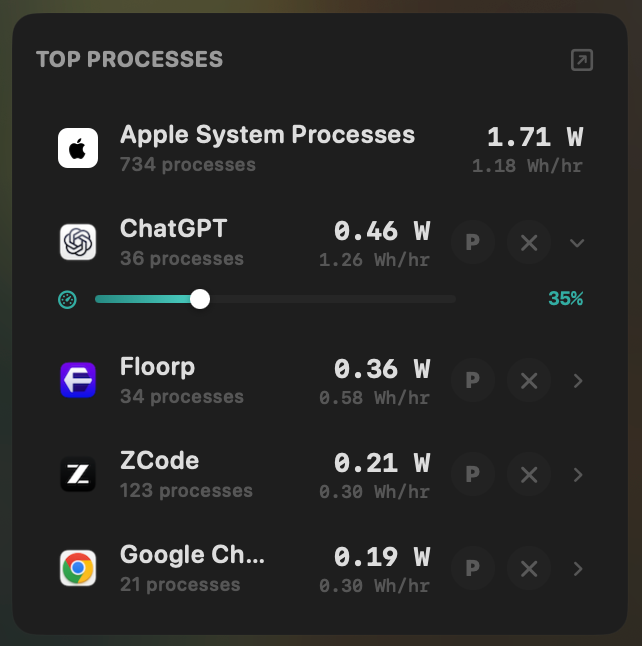
- Yes:Live per-app power draw · Process-level, real-time
- Yes:Hidden-workload detection · Docker, cloudflared, launchd
- Yes:Per-app CPU throttle · 10% to 100% slider
- Yes:E-core offload · Per-app toggle
- Yes:One-click kill · Runaway apps + subprocesses
AlDente- No:Live per-app power draw · No process attribution
- No:Hidden-workload detection
- No:Per-app CPU throttle
- No:E-core offload
- No:One-click kill
Seeing where the power goes
AlDente shows charger input and system draw on its Power Flow screen. MacBookBatteryMonitor shows the same flow plus a live total split into CPU+GPU, RAM, display, and USB.
MacBookBatteryMonitorWinner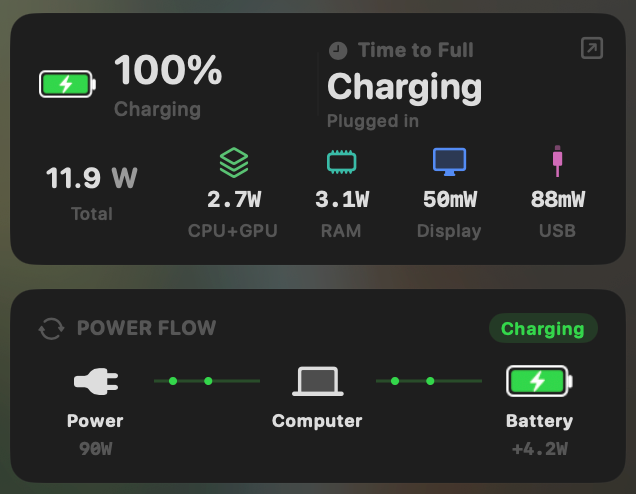
- Yes:System total power draw · Live, in watts
- Yes:Power breakdown by component · CPU / GPU / RAM / Display / USB
AlDente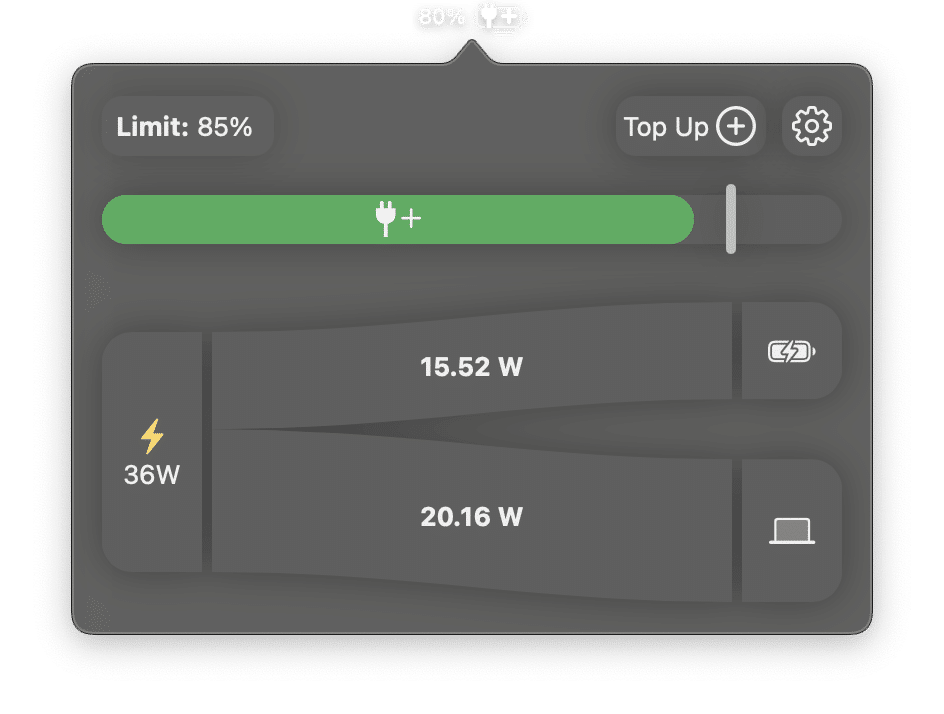
- Partial:System total power draw · Power Flow diagram only
- No:Power breakdown by component
Charge limit and Sailing Mode
This is where AlDente built its name. Both apps set a charge ceiling and let the battery drift below it while plugged in. AlDente holds a passive band. MacBookBatteryMonitor actively discharges to the limit and can also switch on Low Power Mode by itself.
MacBookBatteryMonitorWinner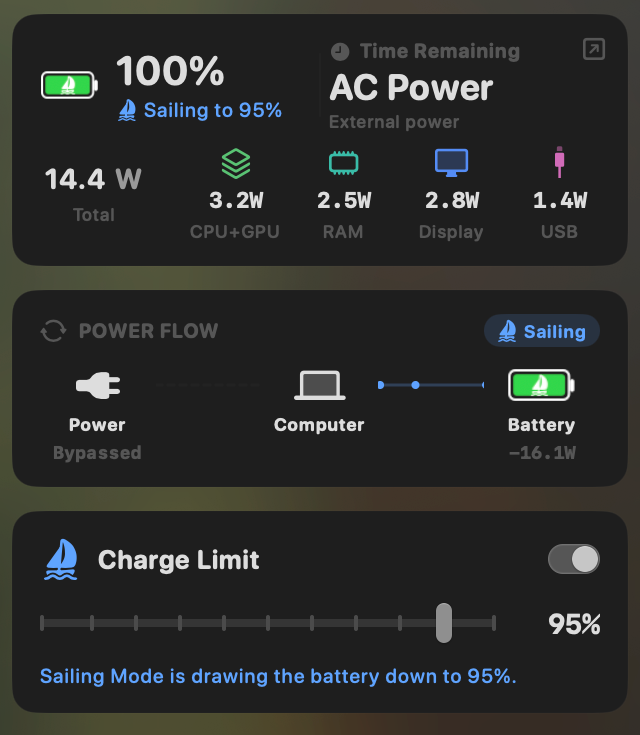
- Yes:Charge limit · 50% to 100% via SMC
- Yes:Sailing mode · Discharge while plugged in
- Yes:Low Power Mode automation · Auto below a threshold
AlDente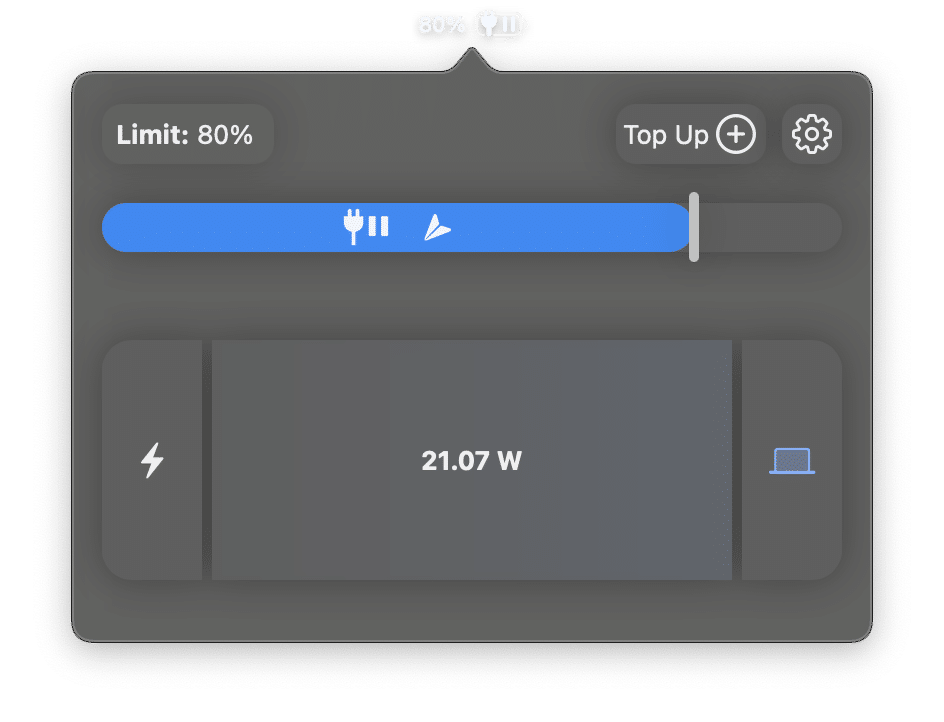
- Yes:Charge limit · Full control; lower floor
- Yes:Sailing mode · Passive drift band
- Partial:Low Power Mode automation · Via Shortcuts only
Battery health
AlDente Pro shows health, cycle count, and temperature as raw numbers. MacBookBatteryMonitor adds a condition label, the design cycle limit so the count has a target, capacity, and voltage.
MacBookBatteryMonitorWinner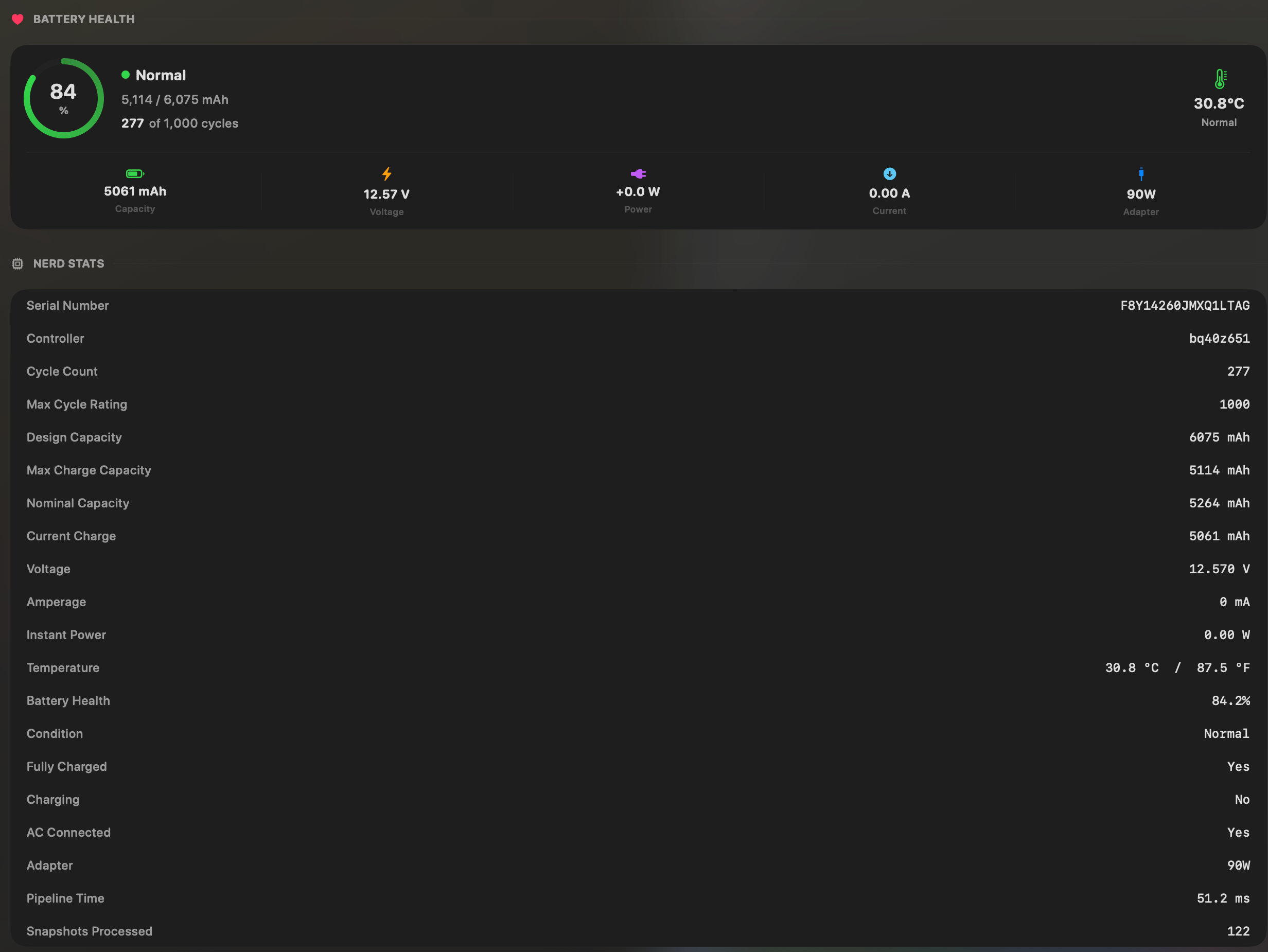
- Yes:Battery health % · Health % + condition label
- Yes:Cycle count · Cycles + design cycle count
- Yes:Battery temperature · °C / °F with status label
AlDente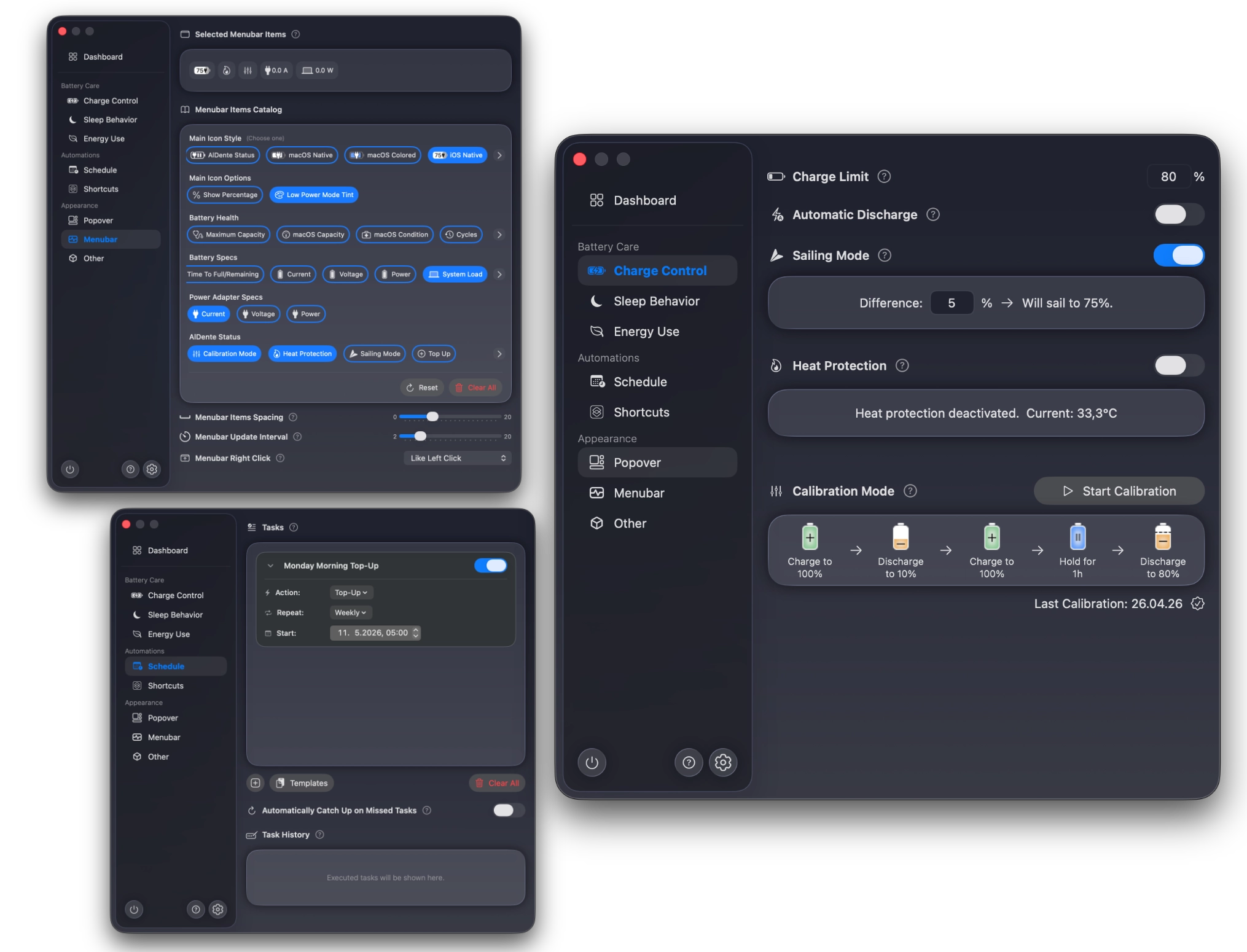
- Partial:Battery health % · Pro only, no condition label
- Partial:Cycle count · Pro only, no design-cycle target
- Yes:Battery temperature
Menu bar and history
Both live in the menu bar. MacBookBatteryMonitor also keeps a battery level history, so a slow overnight drain shows up as a slope and a full charge cycle is visible at a glance. AlDente shows the current charging state only.
MacBookBatteryMonitorWinner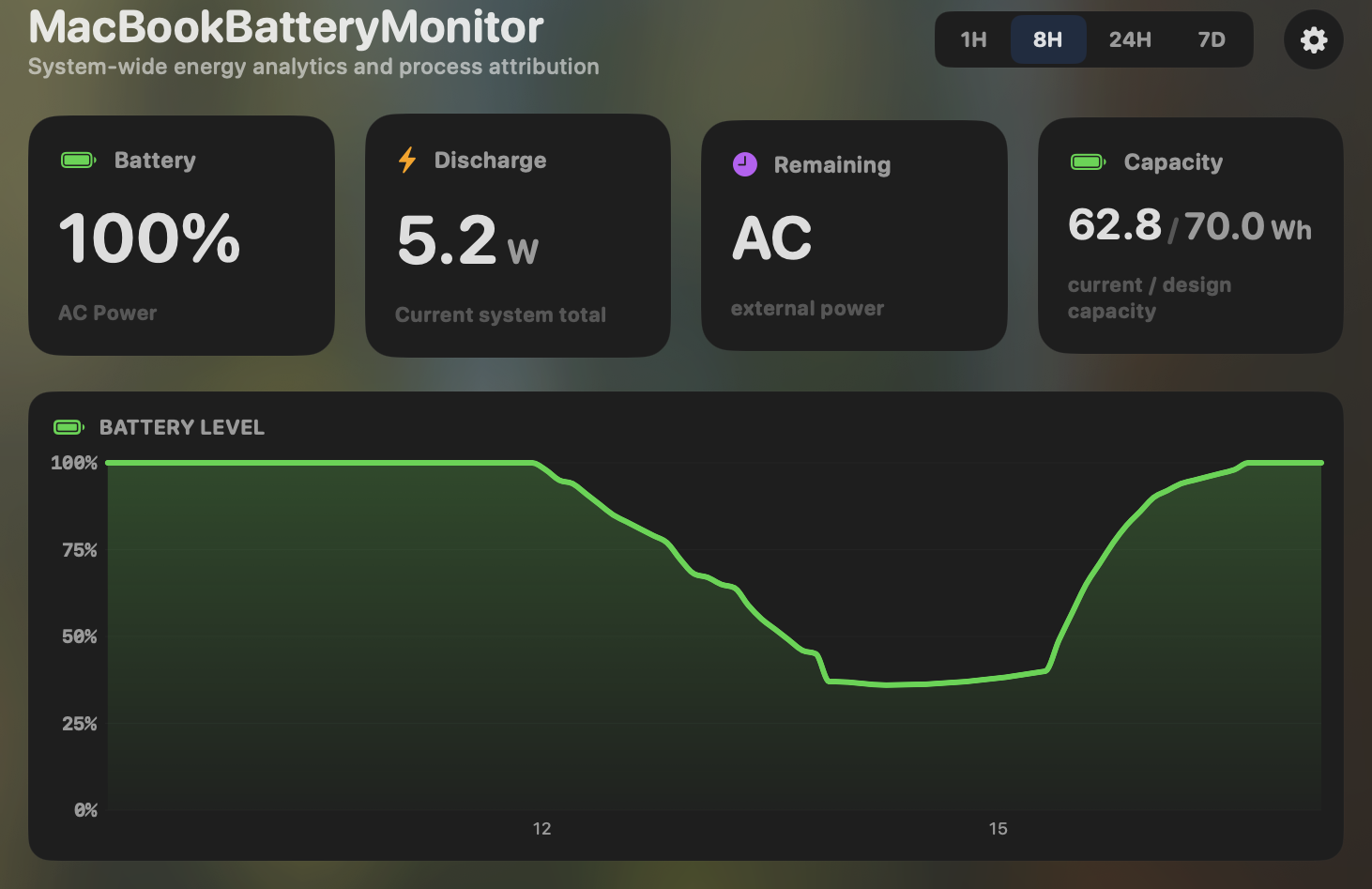
- Yes:Menu-bar first · Native, configurable icon
- Yes:History charts · 6h / 24h / 7d + per-app
AlDente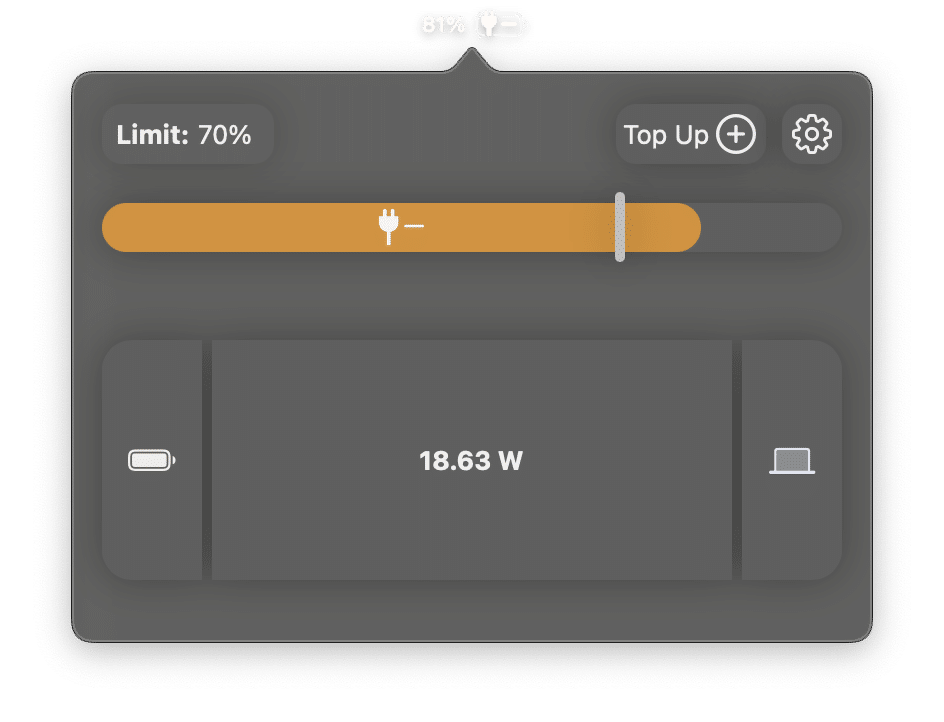
- Yes:Menu-bar first
- Partial:History charts · Charge-limit tracking
Feature comparison
 MacBookBatteryMonitor
Why consider MacBookBatteryMonitor
See the drain, then do something about it
AlDente tells you how the battery is charging. MacBookBatteryMonitor tells you that too, and which app is draining it, in watts, with a kill button next to it. One price, no subscription.
What AlDente does
AlDente, by AppHouseKitchen, is a charge-control app. Its job is to keep your battery between two charge percentages so it spends less time at the extremes that wear it out. The free tier sets a charge limit and holds it. Pro, sold as a yearly subscription of $14.99 or a $24.99 lifetime license, adds the features people tend to actually want: Sailing Mode, which lets the battery drift down inside a band while plugged in instead of holding it pegged; Calibration Mode, which runs a full charge, discharge, and recharge cycle to re-sync the fuel gauge (important if you hold a charge below 100% for months); and Heat Protection, which pauses charging above a temperature threshold. It runs on Intel and Apple Silicon Macs back to roughly 2013, on macOS 12 and up. What it does not do is process monitoring. There is no per-app power draw, no breakdown of where watts are going, and no way to throttle or kill a runaway app. AlDente controls how the battery charges. It does not look at what is discharging it.
What MacBookBatteryMonitor does
MacBookBatteryMonitor is the inverse priority. It matches AlDente on charge control: a charge limit from 50% to 100% over SMC, a Sailing Mode that actively discharges to your limit while plugged in, and a Low Power Mode that switches itself on below a threshold you set, enforced by a daemon that survives reboots. Where it goes further is the entire monitoring half of the problem. It shows each app’s power draw in real-time watts, a component breakdown (CPU, GPU, RAM, display, USB), and hidden drain from Docker, cloudflared, and launchd. It also has per-app actions AlDente lacks: a CPU throttle, an E-core offload toggle, and a one-click kill for runaway processes. It is Apple-Silicon-only on macOS 14.6 and up, and it is a one-time purchase with no subscription. Two things AlDente has that we do not, yet, are Calibration Mode and Heat Protection. Both are on the roadmap.
Which one should you pick?
AlDente is the right pick if your problem is purely battery longevity, especially on an Intel Mac, and you value Calibration Mode and Heat Protection today. MacBookBatteryMonitor is the right pick if your problem is battery life rather than longevity: you want to see what is actually draining the battery, and you want to act on it, without giving up charge control or paying a yearly fee. If you care about both, and you are on Apple Silicon, MacBookBatteryMonitor covers more of the problem in one app.
Related guides
Frequently asked questions
Does MacBookBatteryMonitor have Sailing Mode like AlDente?
Yes, though the two behave differently. AlDente holds the battery in a passive drift band. MacBookBatteryMonitor actively discharges to your set limit over SMC keys and reports a "Sailing to N%" state. The goal is the same: spend battery instead of cycling it while plugged in.
Is AlDente still worth it now that macOS has a native charge limit?
For a fixed 80% cap, the macOS Tahoe charge limit is probably enough on its own. AlDente still wins on limits below 80%, Heat Protection, and Calibration. MacBookBatteryMonitor goes further than either: the same charge control plus live per-app watts and the ability to throttle or kill the apps causing drain.
Why pick MacBookBatteryMonitor over AlDente?
If your only problem is battery longevity, AlDente is a reasonable choice. If your problem is battery life, you need to know what is actually drawing power, and you need controls to act on it. That is the half of the problem AlDente does not touch.
Sources
Feature and pricing claims on this page come from AlDente’s own documentation and Apple’s published guidance.