Comparison
Battery Health 2 vs MacBookBatteryMonitor
Battery Health 2 was the default stats app for years. Its developer has since shipped a successor and it has not been meaningfully updated since early 2022. Here is how it compares with MacBookBatteryMonitor.
 vs
vs
Price
In US dollars.
MacBookBatteryMonitor10% lessBattery Health 2Side by side
Finding the app that is draining the battery, and stopping it
Battery Health 2 shows total watts and nothing per app. MacBookBatteryMonitor ranks every running app by watts, flags hidden workloads, and puts a CPU cap, an E-core offload toggle, and a kill button on each row.
MacBookBatteryMonitorWinner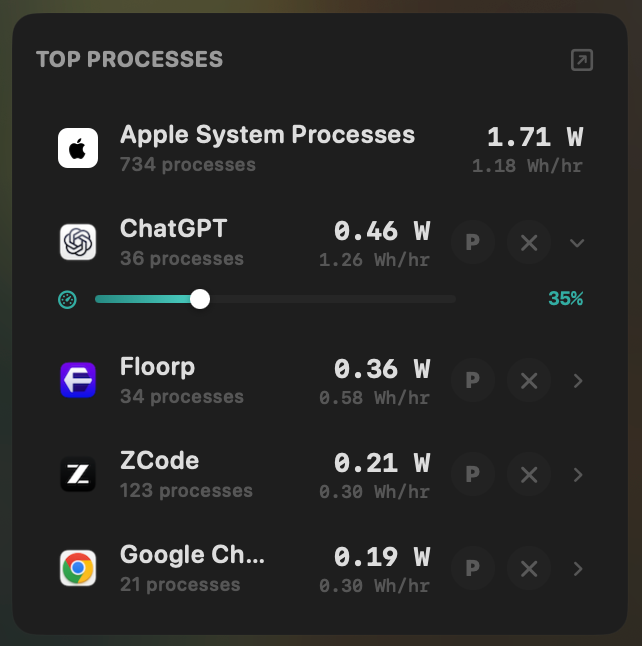
- Yes:Live per-app power draw · Process-level, real-time
- Yes:Hidden-workload detection · Docker, cloudflared, launchd
- Yes:Per-app CPU throttle · 10% to 100% slider
- Yes:E-core offload · Per-app toggle
- Yes:One-click kill · Runaway apps + subprocesses
Battery Health 2- No:Live per-app power draw · Total watts only
- No:Hidden-workload detection
- No:Per-app CPU throttle
- No:E-core offload
- No:One-click kill
Seeing where the power goes
Both show the current system draw in watts. MacBookBatteryMonitor splits it into CPU+GPU, RAM, display, and USB with a Power Flow diagram.
MacBookBatteryMonitorWinner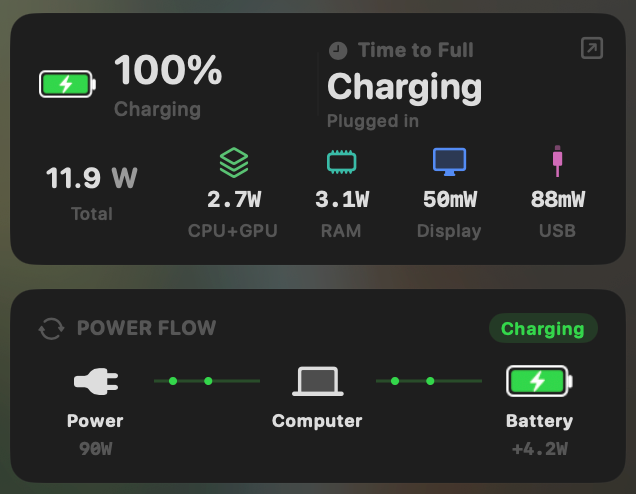
- Yes:System total power draw · Live, in watts
- Yes:Power breakdown by component · CPU / GPU / RAM / Display / USB
Battery Health 2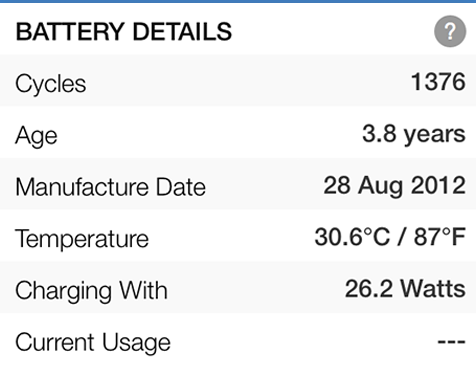
- Yes:System total power draw
- No:Power breakdown by component
Charge limit and Sailing Mode
Battery Health 2 has no charge control. MacBookBatteryMonitor sets a 50% to 100% charge limit over SMC, sails to it while plugged in, and switches on Low Power Mode by itself.
MacBookBatteryMonitorWinner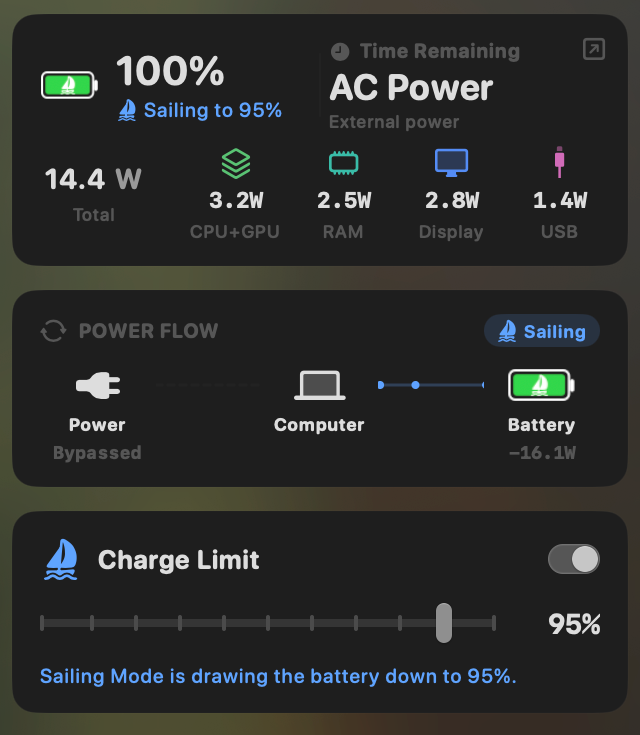
- Yes:Charge limit · 50% to 100% via SMC
- Yes:Sailing mode · Discharge while plugged in
- Yes:Low Power Mode automation · Auto below a threshold
Battery Health 2- No:Charge limit
- No:Sailing mode
- No:Low Power Mode automation
Battery health
Both read health, cycle count, and temperature. Battery Health 2 shows charge and health as two dials with mAh detail underneath. MacBookBatteryMonitor adds the design cycle limit and a condition label.
MacBookBatteryMonitorDraw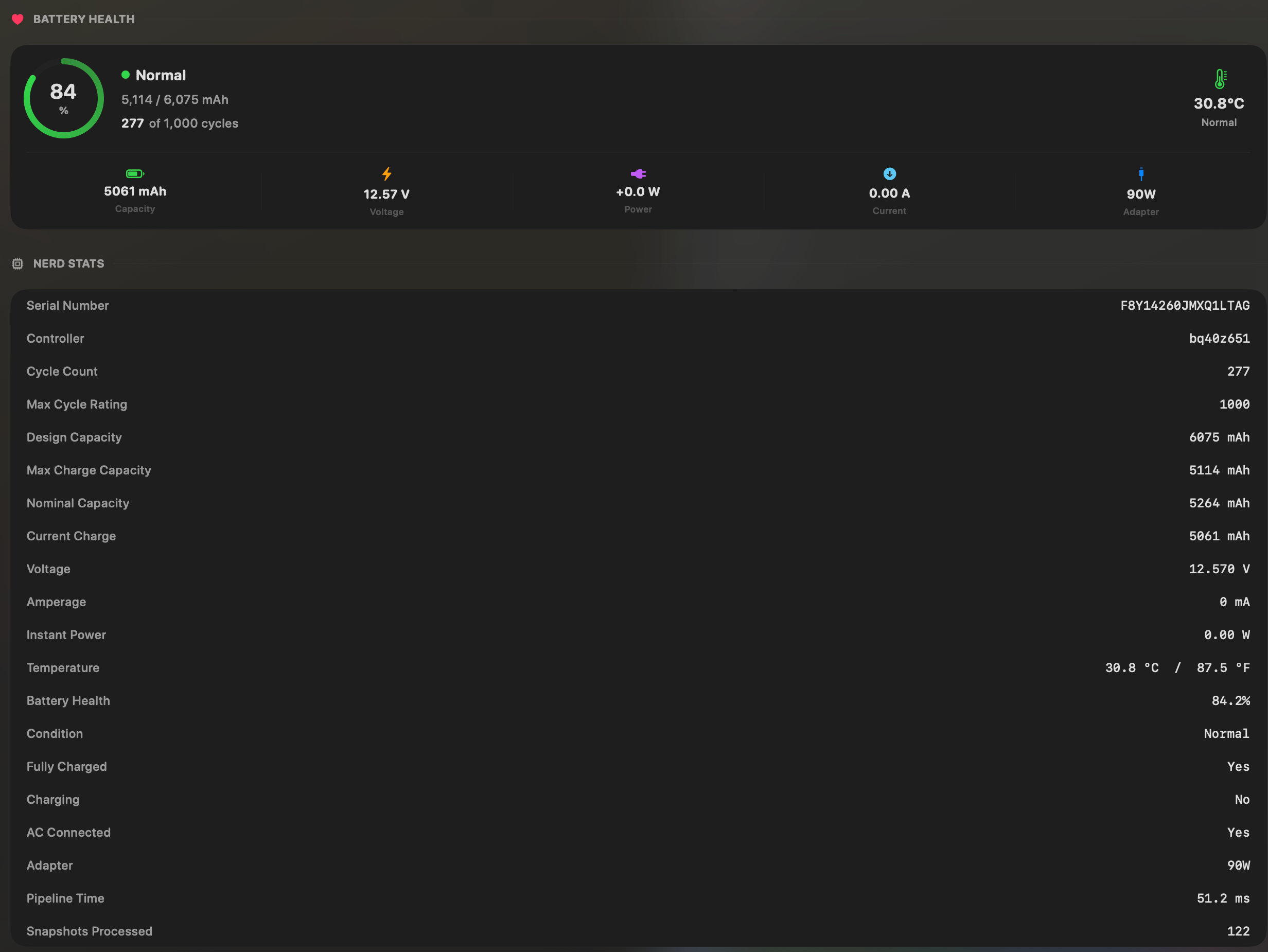
- Yes:Battery health % · Health % + condition label
- Yes:Cycle count · Cycles + design cycle count
- Yes:Battery temperature · °C / °F with status label
Battery Health 2Draw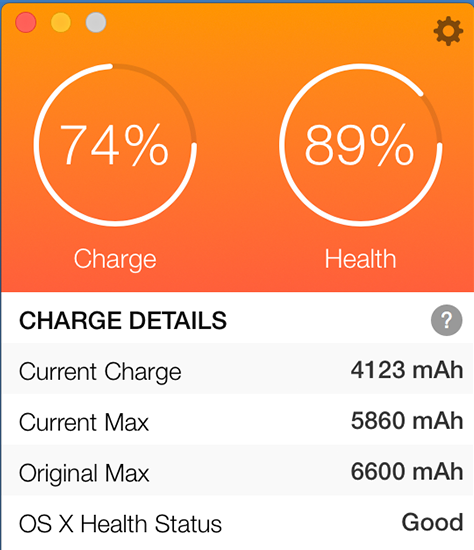
- Yes:Battery health %
- Yes:Cycle count
- Yes:Battery temperature
Menu bar and history
Both live in the menu bar. Battery Health 2's 24-hour graph is a paid unlock. MacBookBatteryMonitor keeps battery level history from 1 hour to 7 days in the trial and the paid app alike.
MacBookBatteryMonitorWinner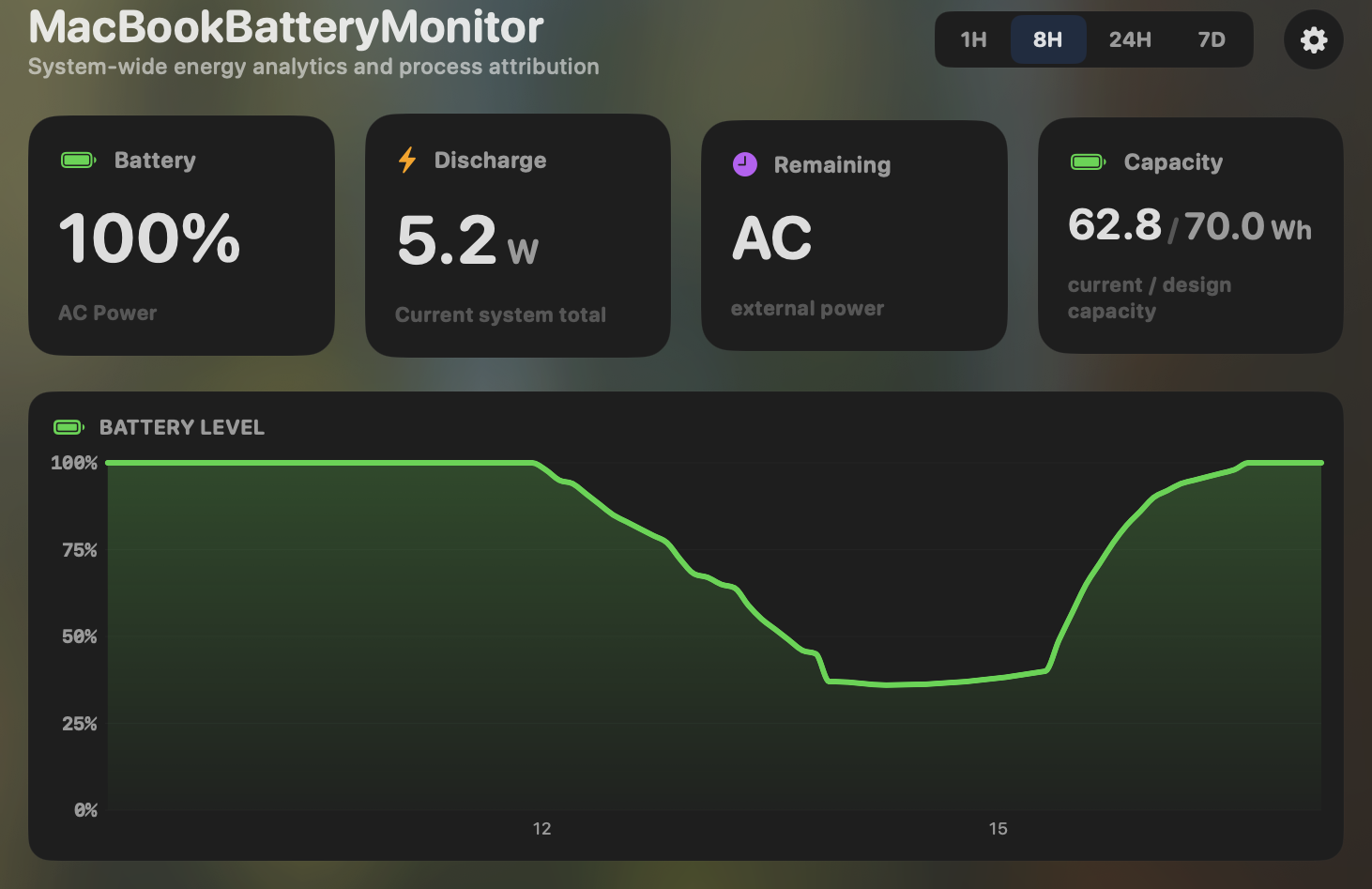
- Yes:Menu-bar first · Native, configurable icon
- Yes:History charts · 6h / 24h / 7d + per-app
Battery Health 2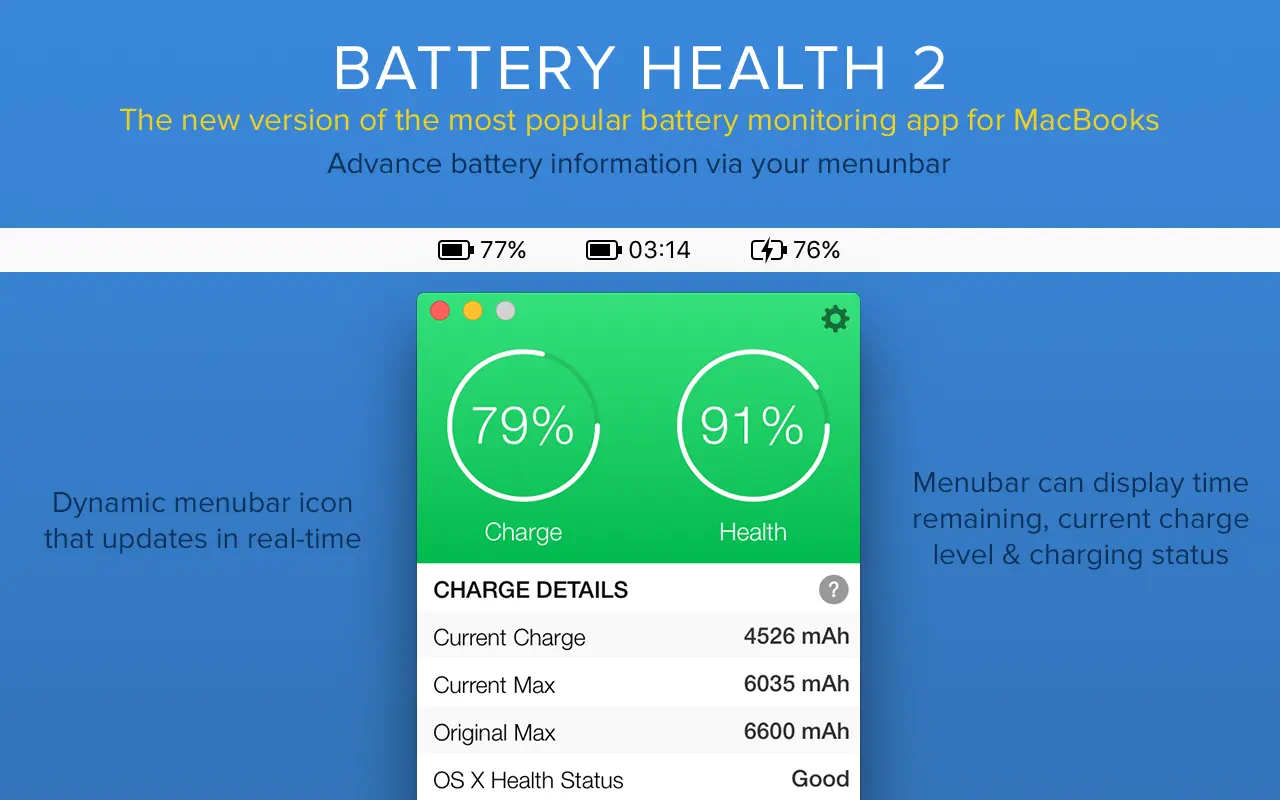
- Yes:Menu-bar first
- Partial:History charts · 24h graph, paid IAP
Feature comparison
 MacBookBatteryMonitor
Why consider MacBookBatteryMonitor
See the drain, then do something about it
Battery Health 2 reads the battery. MacBookBatteryMonitor reads it, shows which app is draining it, and lets you cap charging at 50% to 100%.
What Battery Health 2 does
Battery Health 2, by FIPLAB, is a free Mac App Store utility that shows charge level, current and original capacity, health percentage, cycle count, age, temperature, total system wattage, and time remaining in the menu bar. A $9.99 in-app purchase unlocks a 24-hour charge-level history graph and low-battery notifications. It is competent at reading battery vitals and it ships through the App Store, which means sandboxed installs and automatic updates. The catch is that it has been frozen since version 1.94 in January 2022, more than four years ago, and FIPLAB has since released a successor, Battery Health 3. It shows total system watts but no per-app attribution, and it has no charge control, no Sailing Mode, and no process management. It runs on macOS 10.7 and up, including Intel Macs. For a no-frills health readout it works, but it is effectively a legacy product.
What MacBookBatteryMonitor does
MacBookBatteryMonitor is actively developed and Apple-Silicon-native. It shows the same core vitals Battery Health 2 does, plus per-app power draw in real-time watts, a component breakdown (CPU, GPU, RAM, display, USB), hidden drain from Docker, cloudflared, and launchd, and the design-cycle limit as a target. It adds the controls Battery Health 2 has never had: a 50% to 100% charge limit over SMC, a Sailing Mode that discharges while plugged in, automated Low Power Mode, and per-app actions including a CPU throttle, an E-core offload toggle, and a one-click kill for runaway processes. The trade-off is that it does not ship through the App Store, requires macOS 14.6 and up on Apple Silicon, and is a paid one-time purchase rather than a free download.
Which one should you pick?
Battery Health 2 is a free, trusted stats readout that runs on older and Intel Macs, and if that is all you need it is fine. It is also a stale product its own developer has moved past. MacBookBatteryMonitor is the modern equivalent for people who want more than a health percentage: real per-app watts, charge control, and the ability to throttle or kill what is draining the battery, on actively maintained, Apple-Silicon-native code.
Related guides
Frequently asked questions
Is Battery Health 2 still maintained?
Not actively. Its last meaningful update was version 1.94 in January 2022. FIPLAB has since released a successor called Battery Health 3. Battery Health 2 is still downloadable for prior purchasers but is effectively a legacy product.
Does Battery Health 2 show which apps are draining the battery?
No. It shows total system wattage only, with no per-app breakdown. Even the successor, Battery Health 3, shows an opaque "energy impact" score rather than real watts. Per-app wattage is one of the main things MacBookBatteryMonitor is built for.
Why is MacBookBatteryMonitor not on the Mac App Store?
Because charge control requires talking to the SMC through a privileged helper, and per-app throttling uses kernel-level process policies. Both are things the App Store sandbox does not allow. Direct distribution is the only way to ship those features.
Sources
Feature and pricing claims on this page come from Battery Health 2’s own documentation and Apple’s published guidance.