Comparison
iStat Menus vs MacBookBatteryMonitor
iStat Menus is the established all-in-one menu-bar system monitor for macOS. It covers a lot, including battery. Here is how it compares with a tool that only covers battery, but goes much deeper on it.
 vs
vs
Price
In US dollars.
MacBookBatteryMonitor25% lessiStat MenusSide by side
Finding the app that is draining the battery, and stopping it
iStat Menus shows per-app CPU as a percentage and package power as a total, not watts per app. MacBookBatteryMonitor ranks apps by watts, flags hidden workloads, and lets you cap, offload, or kill an app from the list.
MacBookBatteryMonitorWinner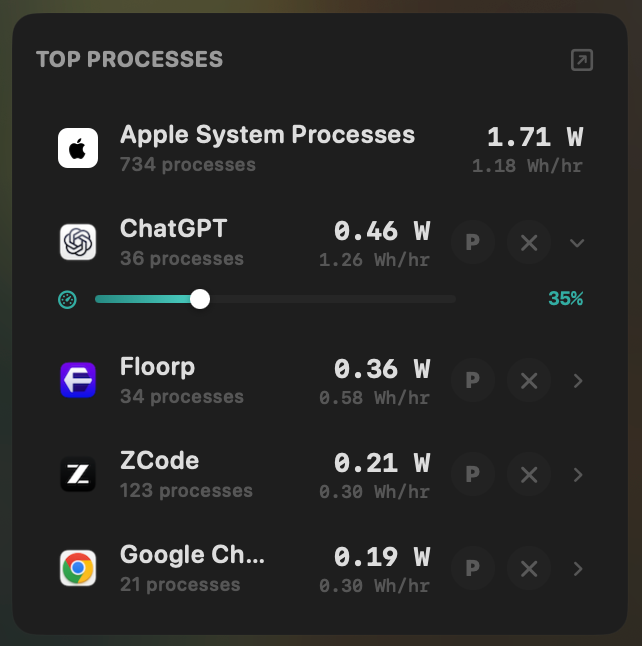
- Yes:Live per-app power draw · Process-level, real-time
- Yes:Hidden-workload detection · Docker, cloudflared, launchd
- Yes:Per-app CPU throttle · 10% to 100% slider
- Yes:E-core offload · Per-app toggle
- Yes:One-click kill · Runaway apps + subprocesses
iStat Menus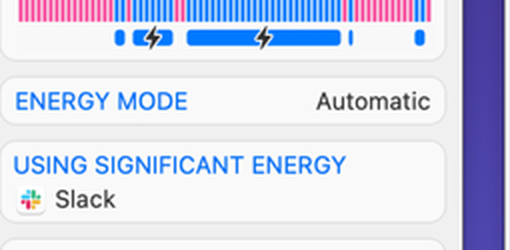
- Partial:Live per-app power draw · Package power + CPU %, not per-app watts
- No:Hidden-workload detection
- No:Per-app CPU throttle
- No:E-core offload
- No:One-click kill
Seeing where the power goes
Both show total system power. iStat Menus reads it from the sensors panel alongside everything else on the Mac. MacBookBatteryMonitor splits it into CPU+GPU, RAM, display, and USB with a Power Flow diagram.
MacBookBatteryMonitorWinner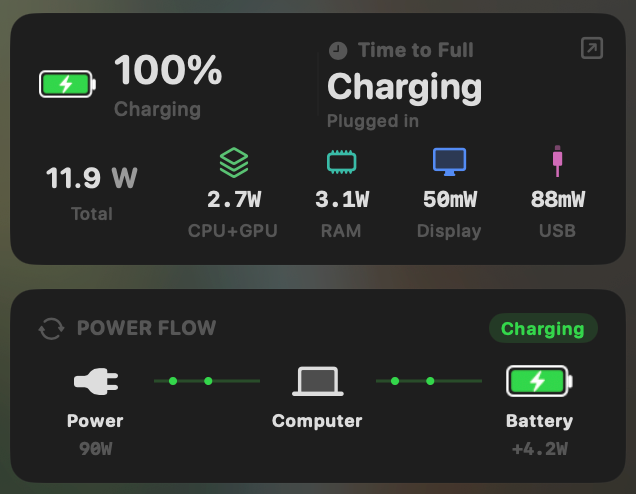
- Yes:System total power draw · Live, in watts
- Yes:Power breakdown by component · CPU / GPU / RAM / Display / USB
iStat Menus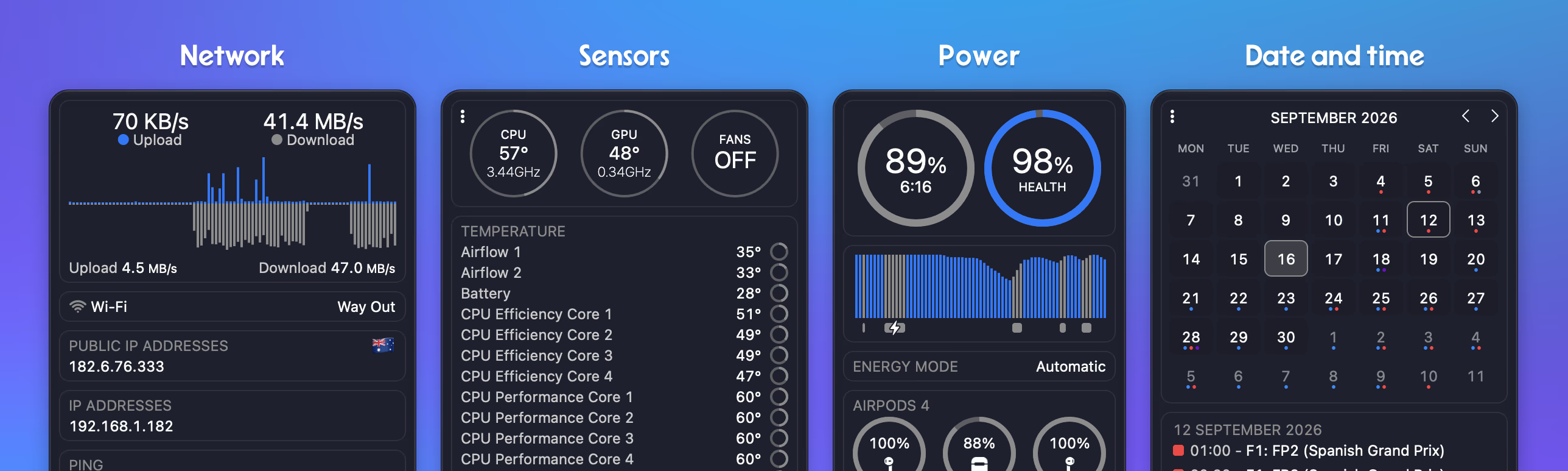
- Yes:System total power draw
- Partial:Power breakdown by component · Sensor-level, no component split
Charge limit and Sailing Mode
iStat Menus has no charge control. MacBookBatteryMonitor sets a 50% to 100% charge limit over SMC, sails to it while plugged in, and switches on Low Power Mode by itself.
MacBookBatteryMonitorWinner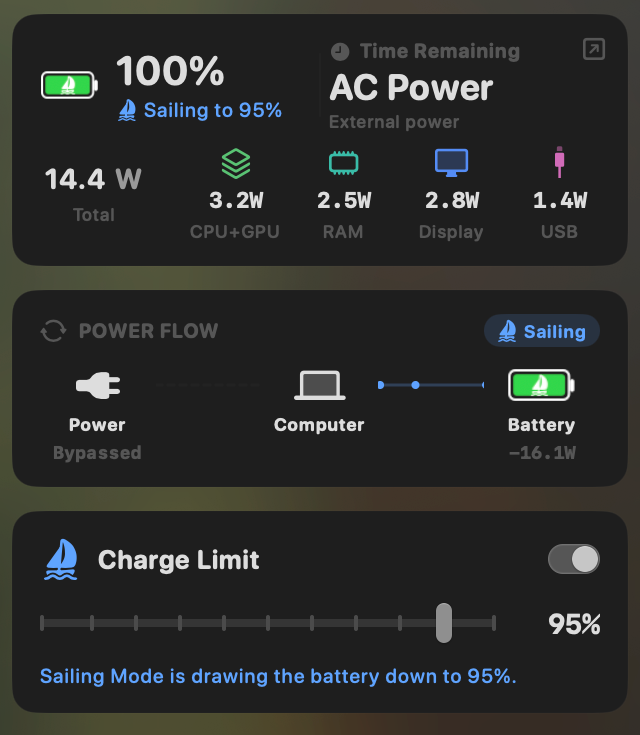
- Yes:Charge limit · 50% to 100% via SMC
- Yes:Sailing mode · Discharge while plugged in
- Yes:Low Power Mode automation · Auto below a threshold
iStat Menus- No:Charge limit
- No:Sailing mode
- Partial:Low Power Mode automation · Manual toggle only
Battery health
Both read health, cycle count, and temperature. iStat Menus also has a deep sensor array across the whole machine. MacBookBatteryMonitor adds the design cycle limit and a condition label.
MacBookBatteryMonitorDraw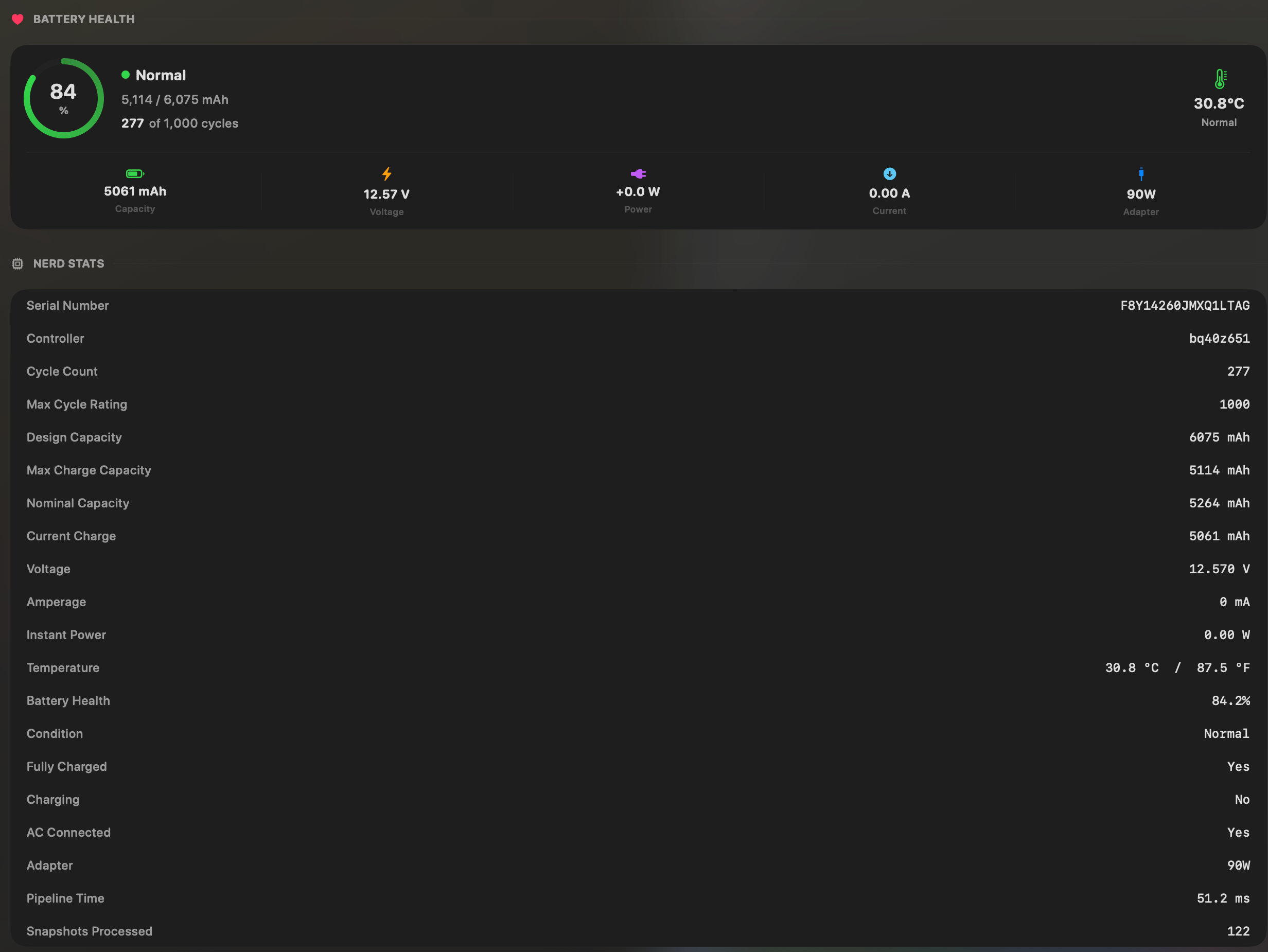
- Yes:Battery health % · Health % + condition label
- Yes:Cycle count · Cycles + design cycle count
- Yes:Battery temperature · °C / °F with status label
iStat MenusDraw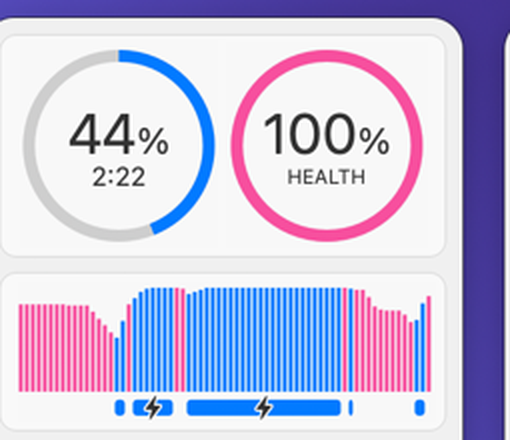
- Yes:Battery health %
- Yes:Cycle count
- Yes:Battery temperature · Full sensor array
Menu bar and history
Both are menu bar apps with history. iStat Menus keeps 28-day graphs for every module. MacBookBatteryMonitor keeps battery level and per-app energy history from 1 hour to 7 days.
MacBookBatteryMonitorDraw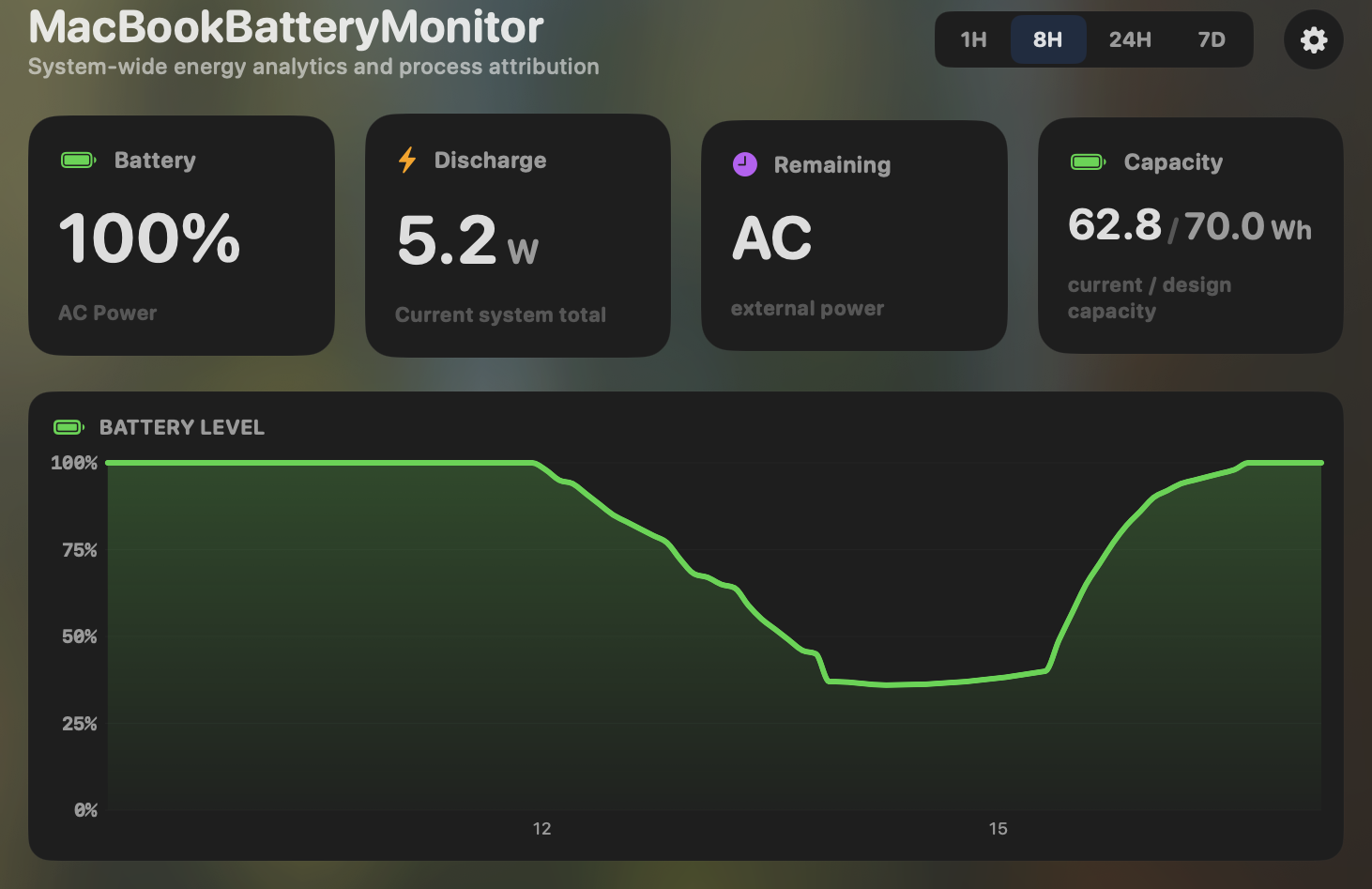
- Yes:Menu-bar first · Native, configurable icon
- Yes:History charts · 6h / 24h / 7d + per-app
iStat MenusDraw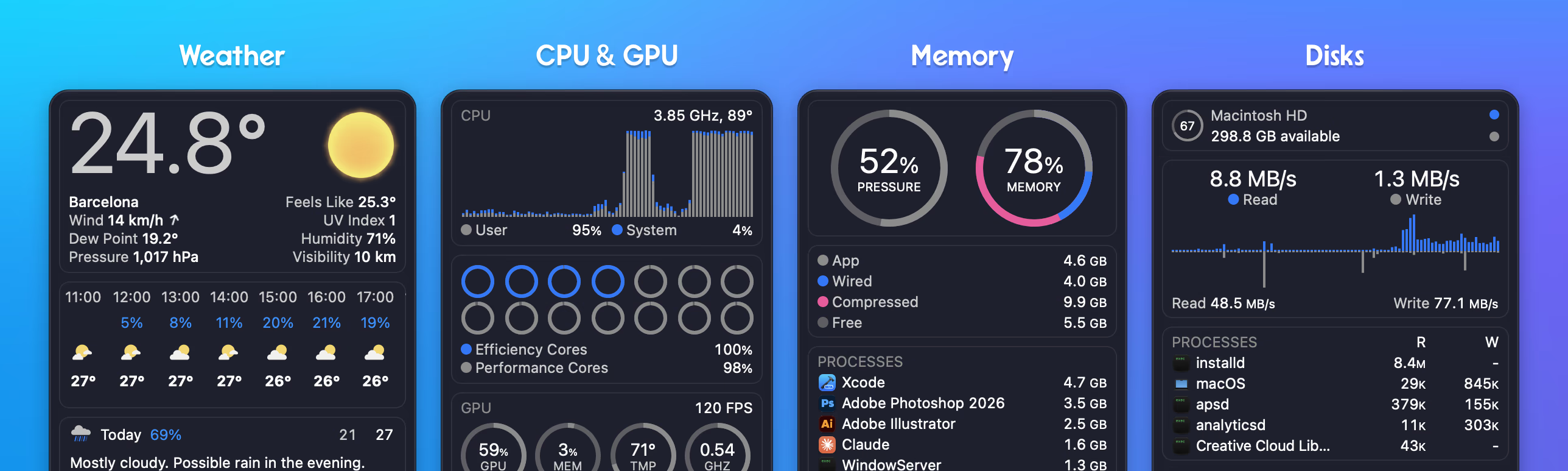
- Yes:Menu-bar first
- Yes:History charts · 28-day graphs
Feature comparison
 MacBookBatteryMonitor
Why consider MacBookBatteryMonitor
See the drain, then do something about it
iStat Menus watches the whole Mac. MacBookBatteryMonitor watches the battery: per-app watts, charge limit, Sailing Mode, and per-app controls, for less.
What iStat Menus does
iStat Menus, by Bjango, is a general system monitor that lives in your menu bar. Its battery module reads health, cycle count, capacity, temperature, and time remaining, and it shows total system power. But battery is one module among roughly eight. The same app does per-core CPU usage and frequency, GPU and memory stats, a deep hardware sensor array, manual and automatic fan control, network bandwidth and ping, weather forecasts, and world clocks. It is the most polished, most customisable menu-bar app on macOS, and version 7.3 runs on macOS 11 and up, Intel and Apple Silicon, for $11.99 one-time (the weather data is a separate paid subscription). On battery specifically, it shows package-level power and per-app CPU as a percentage, but not per-app watts. And it has no charge control, no Sailing Mode, no Low Power Mode automation, and no way to throttle or kill an app. It is a wide tool that touches battery lightly.
What MacBookBatteryMonitor does
MacBookBatteryMonitor is the opposite trade-off: narrow and deep. It is only a battery app, but within that it shows real per-app power draw in watts, not a CPU percentage, plus a system total and a component breakdown (CPU, GPU, RAM, display, USB). It surfaces hidden drain from Docker, cloudflared, and launchd. It has the charge controls iStat Menus lacks: a 50% to 100% charge limit over SMC, a Sailing Mode that discharges while plugged in, and a Low Power Mode that switches itself on below a threshold. And where iStat Menus can show you a heavy app, MacBookBatteryMonitor can throttle its CPU, offload it to efficiency cores, or kill it and its subprocesses in one click. It does not show CPU, GPU, sensors, fans, network, or weather. It is Apple-Silicon-only on macOS 14.6 and up.
Which one should you pick?
iStat Menus is the better choice if you want one menu-bar app for the whole system: CPU, GPU, temperatures, fans, network, and a glance at battery. It is genuinely best-in-class at that. MacBookBatteryMonitor is the better choice if your actual problem is the battery: real per-app wattage, charge limiting, Sailing Mode, and the ability to act on runaway apps. Some users will reasonably run both, because they answer different questions.
Related guides
Frequently asked questions
Does iStat Menus show per-app power draw in watts?
No. It shows total package power and per-app CPU usage as a percentage, but not per-app wattage. If you want to know how many watts a specific app is drawing, that is what MacBookBatteryMonitor shows.
Can iStat Menus limit charging?
No. iStat Menus has no charge limiting, no Sailing Mode, and no automated Low Power Mode. It only offers a manual Low Power Mode toggle, which Apple also exposes for free in Control Center.
Why pick a battery-only app over an all-in-one monitor?
If you want whole-system monitoring, you should not. iStat Menus is excellent at that. MacBookBatteryMonitor is for the case where the generic tools stop being enough and you need real per-app watts plus charge control and per-app actions.
Sources
Feature and pricing claims on this page come from iStat Menus’s own documentation and Apple’s published guidance.