Comparison
Juicy vs MacBookBatteryMonitor
Juicy is the closest competitor to MacBookBatteryMonitor on the market, and the most honest comparison on this page. The two apps overlap heavily, and each is clearly better at something.
 vs
vs
Price
In US dollars.
MacBookBatteryMonitor64% lessJuicySide by side
Finding the app that is draining the battery, and stopping it
Juicy is the closest competitor here: it ranks apps by watts with misbehaving-app callouts. MacBookBatteryMonitor goes one step further on every row with a CPU cap, an E-core offload toggle, and a kill button, and it flags hidden workloads like Docker and launchd.
MacBookBatteryMonitorWinner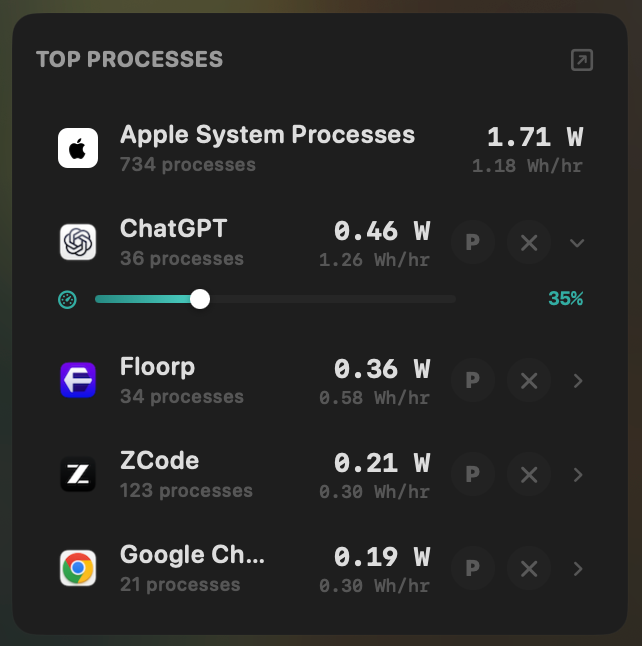
- Yes:Live per-app power draw · Process-level, real-time
- Yes:Hidden-workload detection · Docker, cloudflared, launchd
- Yes:Per-app CPU throttle · 10% to 100% slider
- Yes:E-core offload · Per-app toggle
- Yes:One-click kill · Runaway apps + subprocesses
Juicy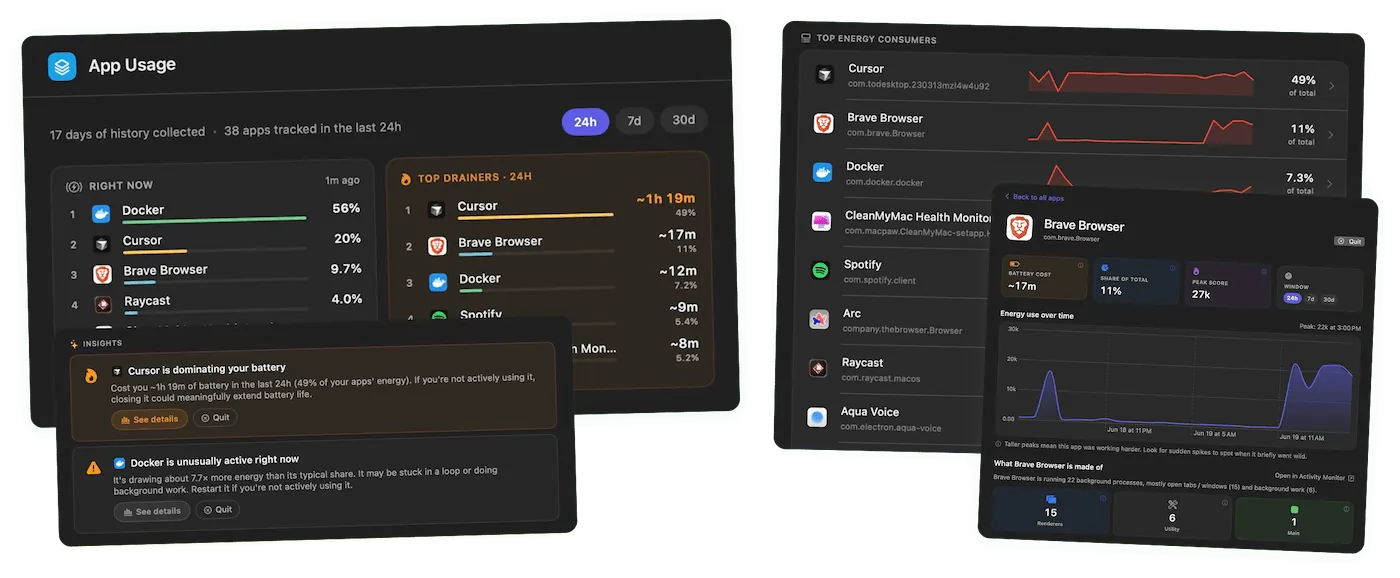
- Yes:Live per-app power draw · Ranked, with callouts
- No:Hidden-workload detection
- No:Per-app CPU throttle
- No:E-core offload
- No:One-click kill
Seeing where the power goes
Both show the system total in watts. MacBookBatteryMonitor also splits it into CPU+GPU, RAM, display, and USB with a Power Flow diagram.
MacBookBatteryMonitorWinner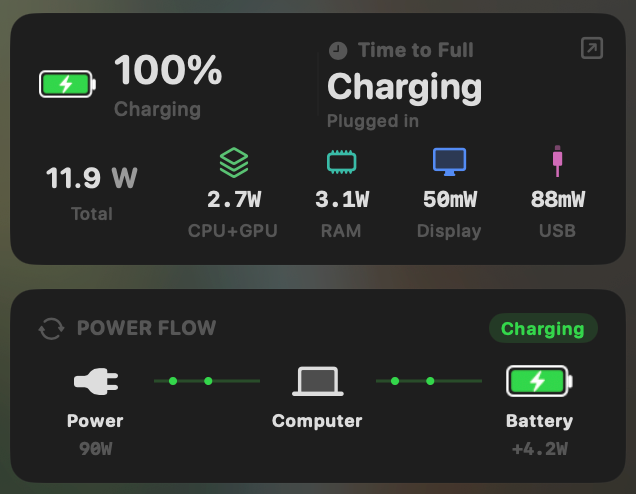
- Yes:System total power draw · Live, in watts
- Yes:Power breakdown by component · CPU / GPU / RAM / Display / USB
Juicy- Yes:System total power draw
- No:Power breakdown by component · Total + per-app only
Charge limit and Sailing Mode
Both limit charging and both sail. Juicy's limit runs 50% to 80% with a one-tap top-up to 100%, and its Low Power Mode is a manual toggle. MacBookBatteryMonitor's limit runs the full 50% to 100%, and Low Power Mode switches on by itself below a threshold you set.
MacBookBatteryMonitorWinner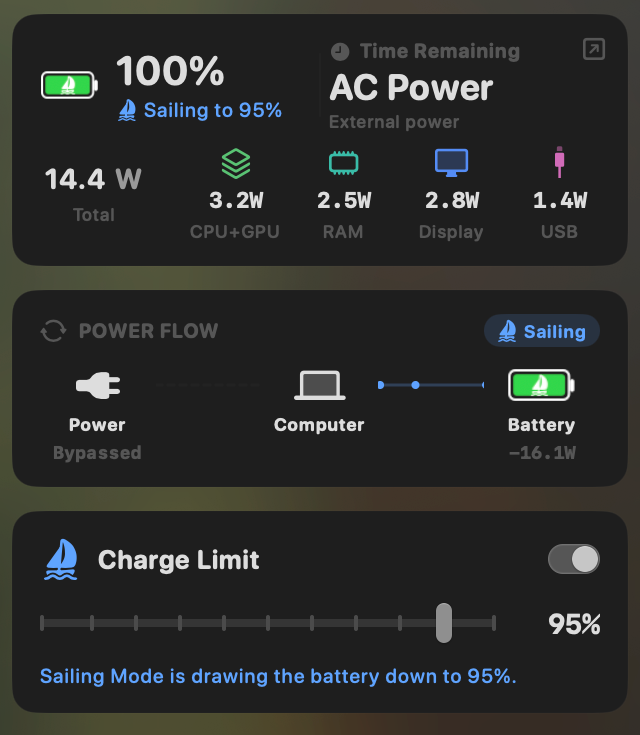
- Yes:Charge limit · 50% to 100% via SMC
- Yes:Sailing mode · Discharge while plugged in
- Yes:Low Power Mode automation · Auto below a threshold
Juicy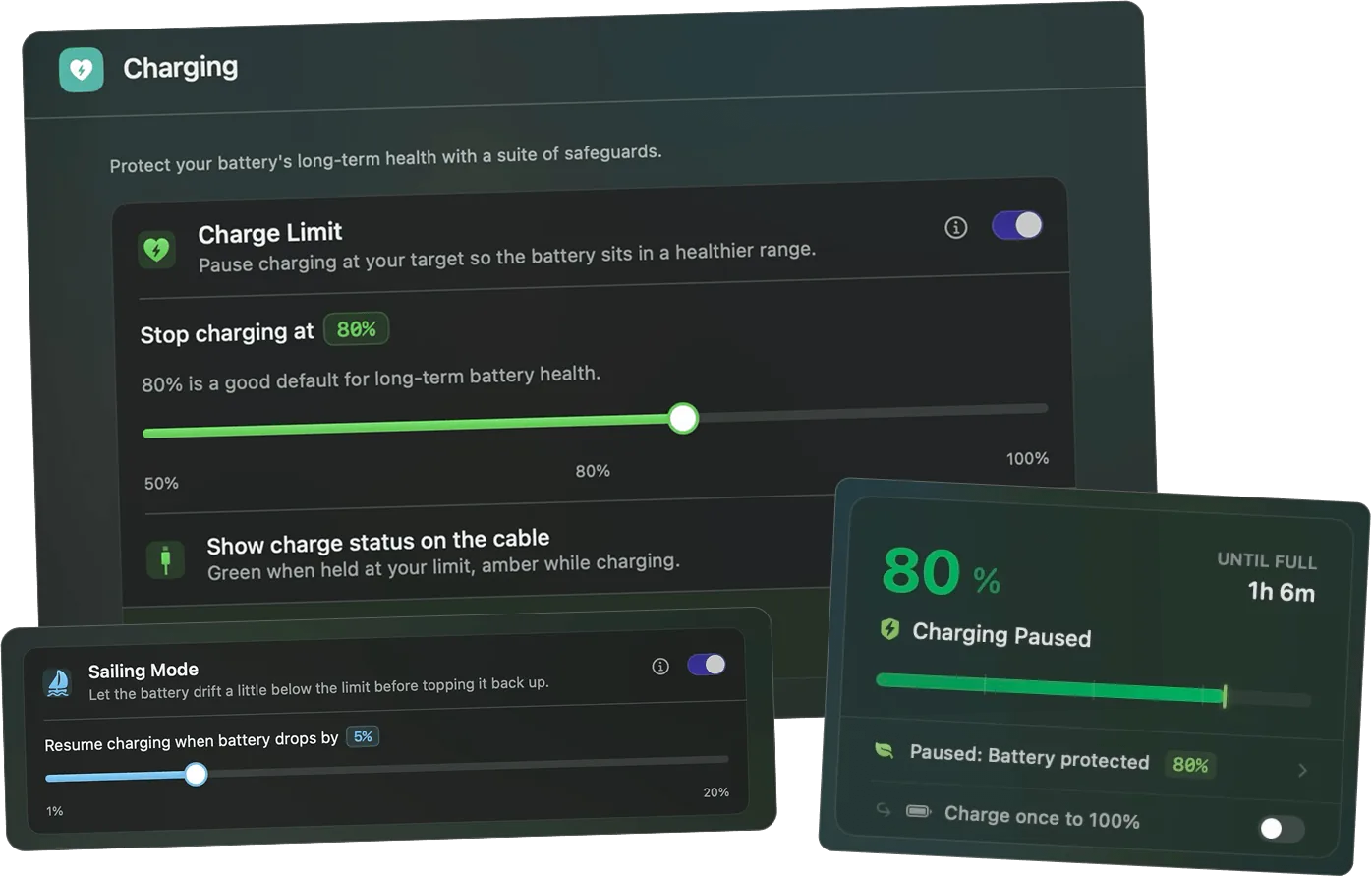
- Yes:Charge limit · 50% to 80% band only
- Yes:Sailing mode
- Partial:Low Power Mode automation · Manual toggle; sandboxed on MAS
Battery health
Both read health, cycle count, and temperature. Juicy presents health as a single large percentage. MacBookBatteryMonitor shows health, cycles against the design limit, capacity, temperature, and voltage in one panel.
MacBookBatteryMonitorDraw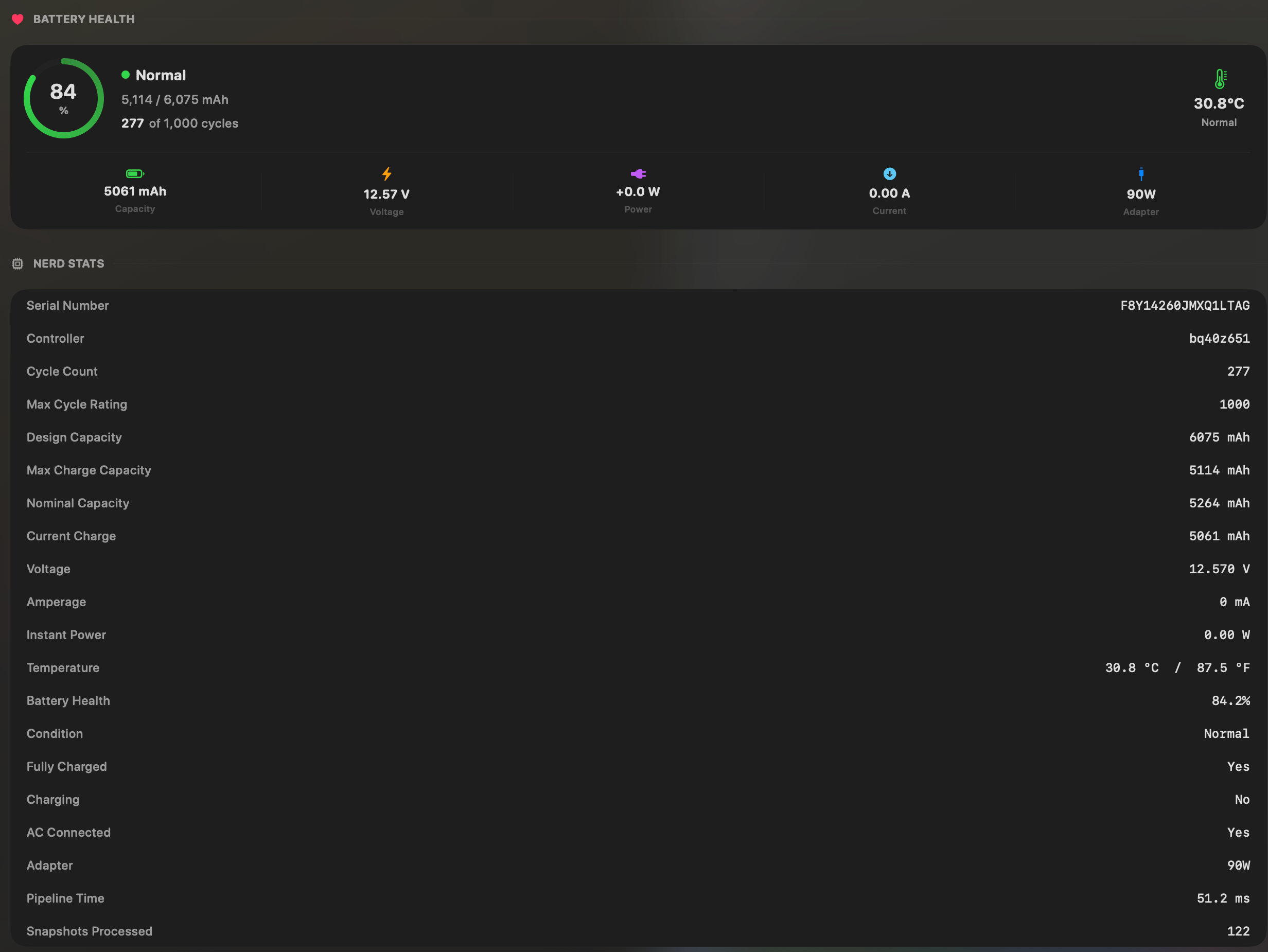
- Yes:Battery health % · Health % + condition label
- Yes:Cycle count · Cycles + design cycle count
- Yes:Battery temperature · °C / °F with status label
JuicyDraw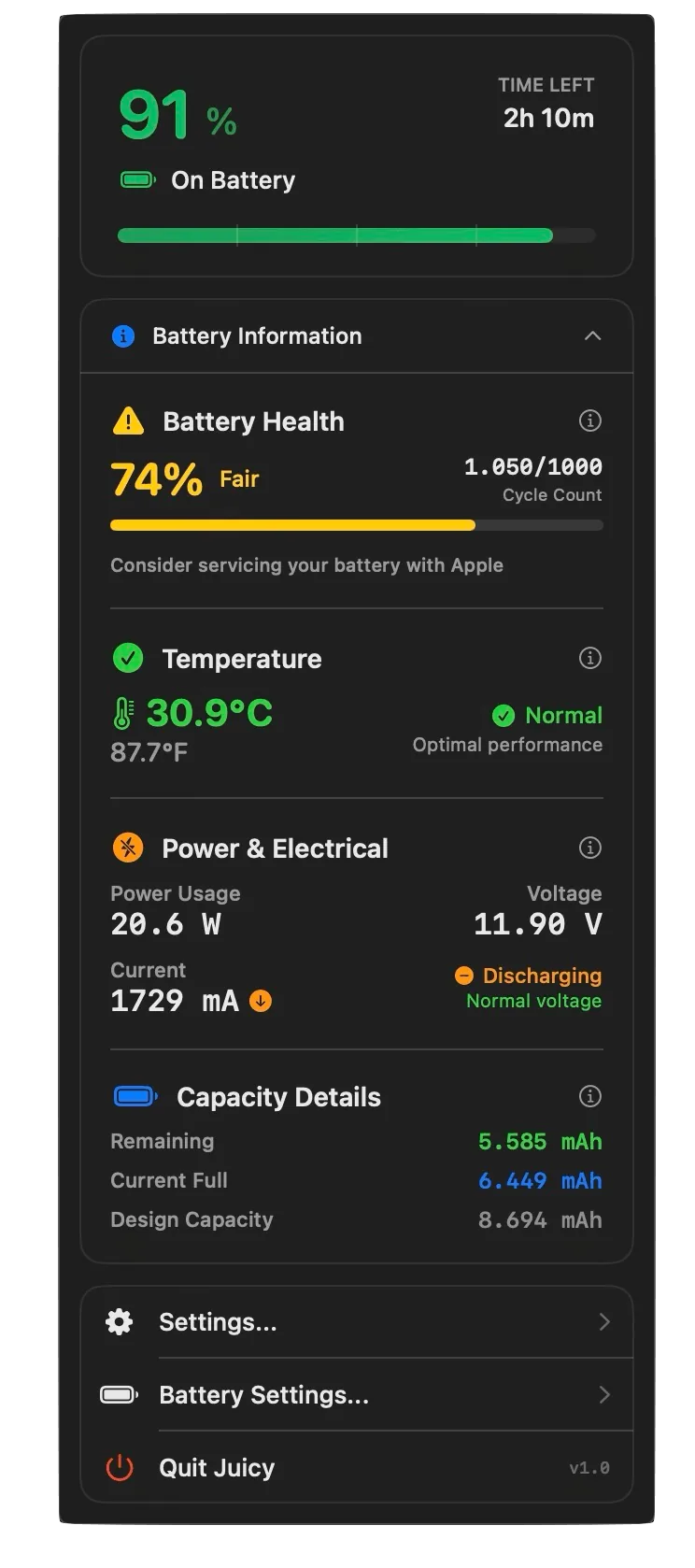
- Yes:Battery health %
- Yes:Cycle count
- Yes:Battery temperature
Menu bar and history
Both are menu bar apps with history. Juicy keeps 24-hour, 7-day, and 30-day sparklines. MacBookBatteryMonitor keeps battery level and per-app energy history from 1 hour to 7 days.
MacBookBatteryMonitorDraw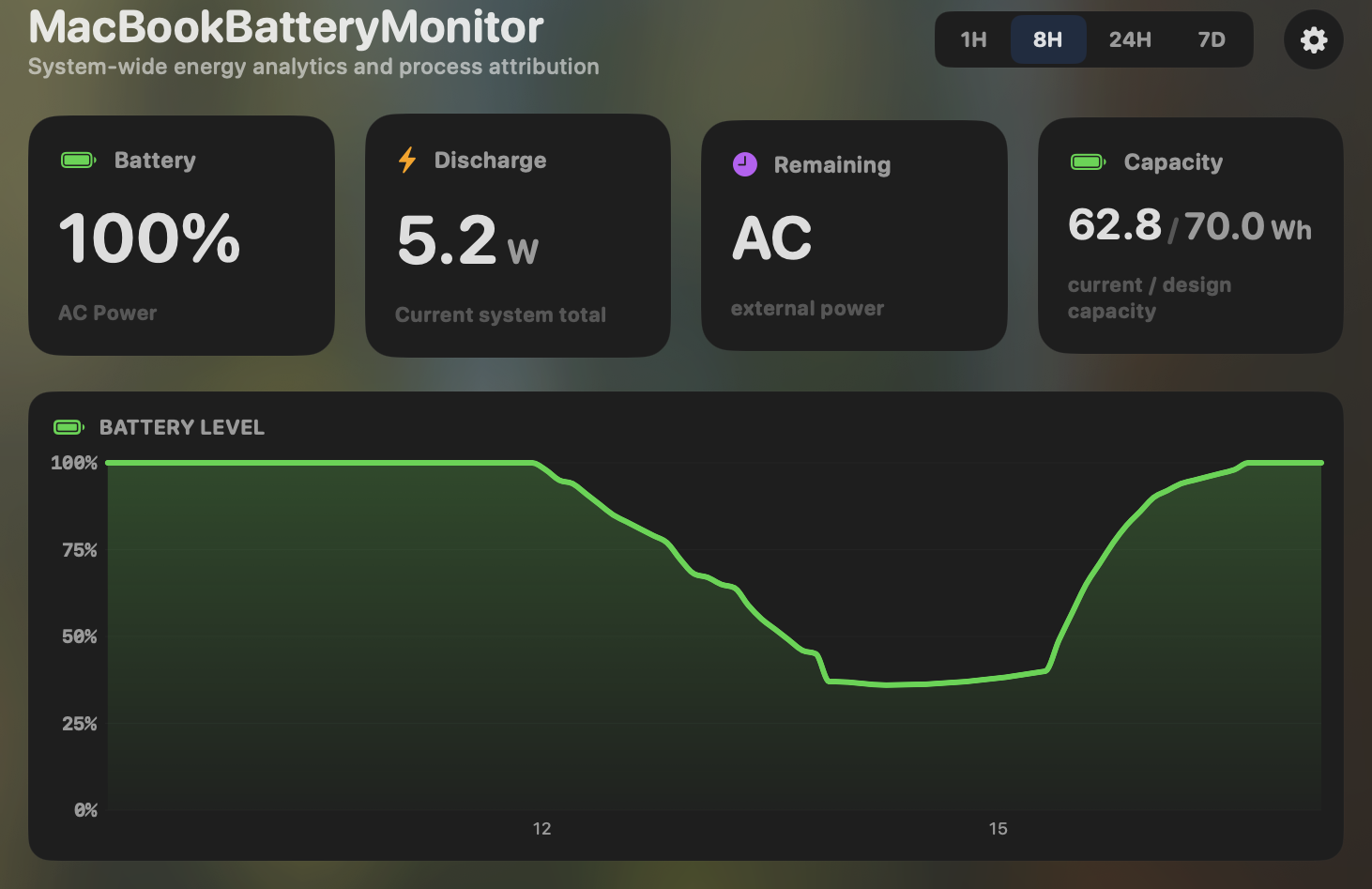
- Yes:Menu-bar first · Native, configurable icon
- Yes:History charts · 6h / 24h / 7d + per-app
JuicyDraw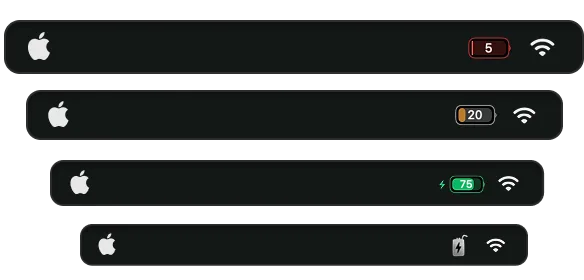
- Yes:Menu-bar first
- Yes:History charts · 24h / 7d / 30d sparklines
Feature comparison
 MacBookBatteryMonitor
Why consider MacBookBatteryMonitor
See the drain, then do something about it
Juicy shows which app is draining the battery. MacBookBatteryMonitor shows that and lets you throttle, offload, or kill it, with a 50% to 100% charge limit and no yearly tier.
What Juicy does
Juicy, by Dominik Sobe, is a native menu-bar battery app that markets itself as the all-in-one replacement for coconutBattery, iStat Menus, AirBuddy, and AlDente. As of version 1.5 it shows real per-app power draw in watts, ranked, with "app misbehaving" callouts and 24-hour, 7-day, and 30-day sparklines. It limits charging in a 50% to 80% band, with a one-tap top-up to 100%, Sailing Mode, and Heat Protection. It shows battery health and cycle count, and it tracks AirPods, iPhone, iPad, Apple Watch, and Magic peripherals in one ranked list with per-device alerts. Its defining feature is alerts: custom battery percentage thresholds, notch-anchored glow pills, custom sounds, and auto-dismissal of macOS’s own pop-ups. It is Apple-featured, polished, and distributed direct, on the App Store, on Setapp, and via Homebrew. It runs on macOS 15 and up, Intel and Apple Silicon, for $14.99 a year or $24.99 lifetime for two Macs. Where it stops is per-app control. It can show you which app is draining, but it cannot throttle, offload, or kill that app. Its charge limit tops out at 80% rather than 100%, and its Low Power Mode is a manual toggle that is further restricted by sandboxing on the App Store build.
What MacBookBatteryMonitor does
MacBookBatteryMonitor shares the foundation but splits differently. It also shows real per-app watts, but it adds a component breakdown (CPU, GPU, RAM, display, USB), hidden-workload detection for Docker, cloudflared, and launchd, and per-app actions: a CPU throttle from 10% to 100%, an E-core offload toggle, and a one-click kill for runaway processes. Its charge limit runs the full 50% to 100% range rather than capping at 80%. Its Low Power Mode is automated, switching on below a threshold you set, enforced by a daemon that survives reboots. It does not have Juicy’s alert engine, it does not track AirPods, iPhone, iPad, or accessories, and its design is more functional than delightful. It is Apple-Silicon-only on macOS 14.6 and up, and a one-time purchase with no yearly tier.
Which one should you pick?
This is the one comparison that is genuinely a tie, and it splits by buyer. Juicy is the better pick if you want polish and personality, custom alerts, and one app that also covers your AirPods, iPhone, and accessories. MacBookBatteryMonitor is the better pick if you want to act on per-app drain rather than just watch it, you want a charge limit past 80%, and you want component-level wattage. For a developer or power user who wants instrumentation and control, MacBookBatteryMonitor. For almost anyone else, Juicy is excellent.
Related guides
Frequently asked questions
Does Juicy show per-app power draw in watts?
Yes, as of version 1.5. This is why per-app wattage alone is not a differentiator between these two apps. The difference is what you can do with the data: MacBookBatteryMonitor can throttle, offload, or kill the draining app, and break its draw down by component. Juicy shows the number and stops there.
Why would I pick Juicy over MacBookBatteryMonitor?
Alerts, multi-device battery tracking, and polish. Juicy’s custom alerts and auto-dismissal of macOS pop-ups are genuinely best-in-class, and it tracks AirPods, iPhone, iPad, and accessories in one place. If those matter to you and per-app throttling does not, Juicy is the right call.
Why would I pick MacBookBatteryMonitor over Juicy?
If you want to act on per-app drain rather than just observe it, you want the component breakdown, you want a charge limit above 80%, or you want Low Power Mode to trigger itself automatically. Those are the places Juicy stops.
Sources
Feature and pricing claims on this page come from Juicy’s own documentation and Apple’s published guidance.