Comparison
Chargie vs MacBookBatteryMonitor
Chargie is a hardware product that sits between your charger and your laptop. MacBookBatteryMonitor is software. They solve the same problem of charge limiting from opposite directions.
 vs
vs
Price
In US dollars.
MacBookBatteryMonitor82% lessChargieSide by side
Finding the app that is draining the battery, and stopping it
Chargie has no process view. MacBookBatteryMonitor ranks every running app by watts, flags hidden workloads, and puts a CPU cap, an E-core offload toggle, and a kill button on each row.
MacBookBatteryMonitorWinner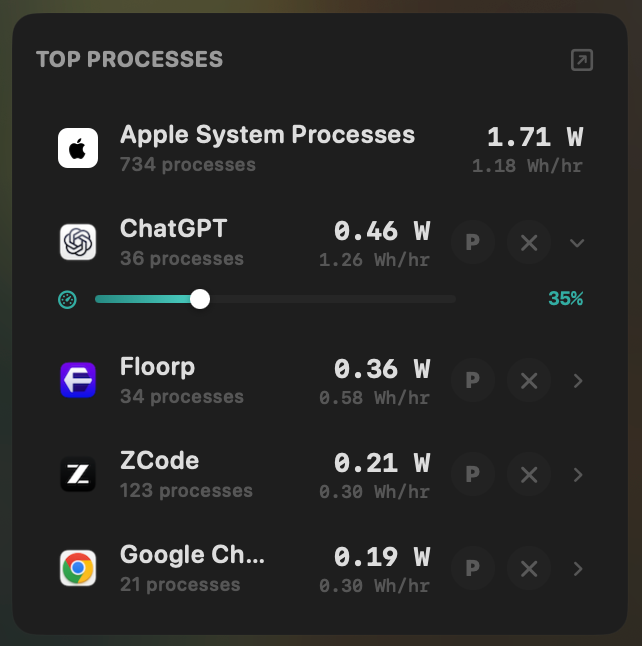
- Yes:Live per-app power draw · Process-level, real-time
- Yes:Hidden-workload detection · Docker, cloudflared, launchd
- Yes:Per-app CPU throttle · 10% to 100% slider
- Yes:E-core offload · Per-app toggle
- Yes:One-click kill · Runaway apps + subprocesses
Chargie- No:Live per-app power draw
- No:Hidden-workload detection
- No:Per-app CPU throttle
- No:E-core offload
- No:One-click kill
Seeing where the power goes
Chargie's app reports volts, amps, and watts at the port. MacBookBatteryMonitor shows the live system total split into CPU+GPU, RAM, display, and USB.
MacBookBatteryMonitorWinner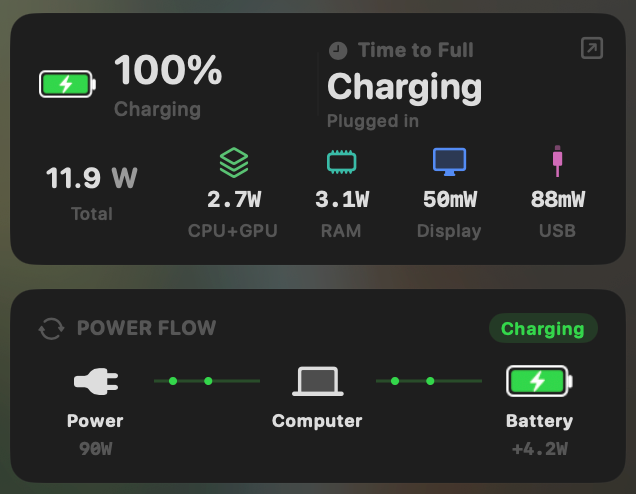
- Yes:System total power draw · Live, in watts
- Yes:Power breakdown by component · CPU / GPU / RAM / Display / USB
Chargie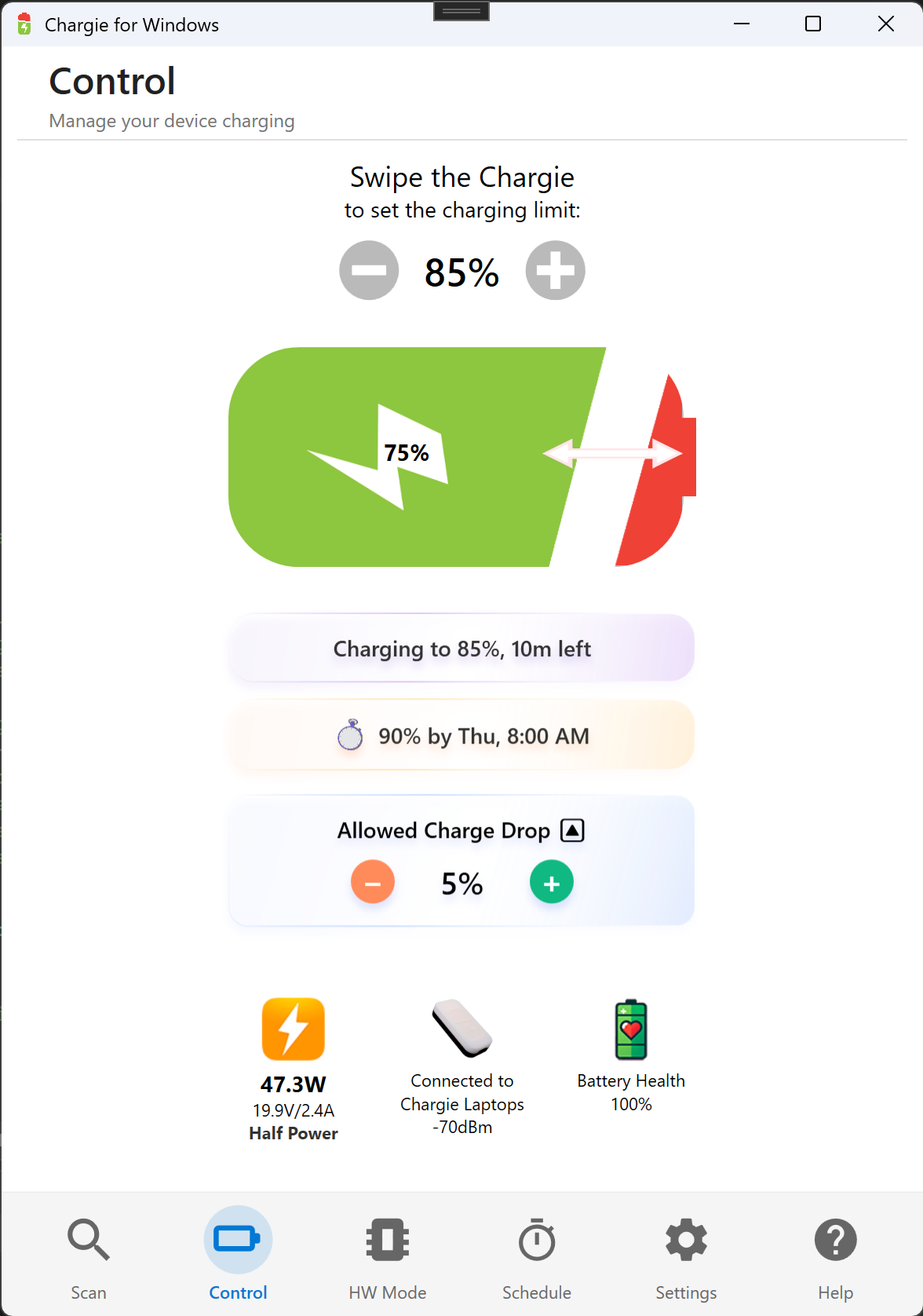
- Partial:System total power draw · Port-level V/A/W only
- No:Power breakdown by component
Charge limit and Sailing Mode
Both limit charging. Chargie does it with a relay between charger and laptop that cuts power at the limit, with a 5% hysteresis band. MacBookBatteryMonitor does it in software over SMC, with a 50% to 100% slider, Sailing Mode, and automated Low Power Mode, and it survives a macOS update.
MacBookBatteryMonitorWinner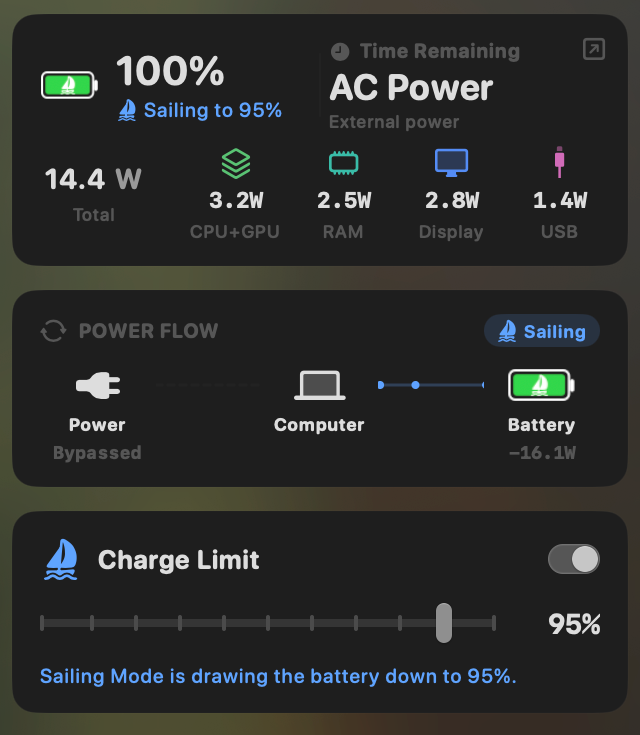
- Yes:Charge limit · 50% to 100% via SMC
- Yes:Sailing mode · Discharge while plugged in
- Yes:Low Power Mode automation · Auto below a threshold
Chargie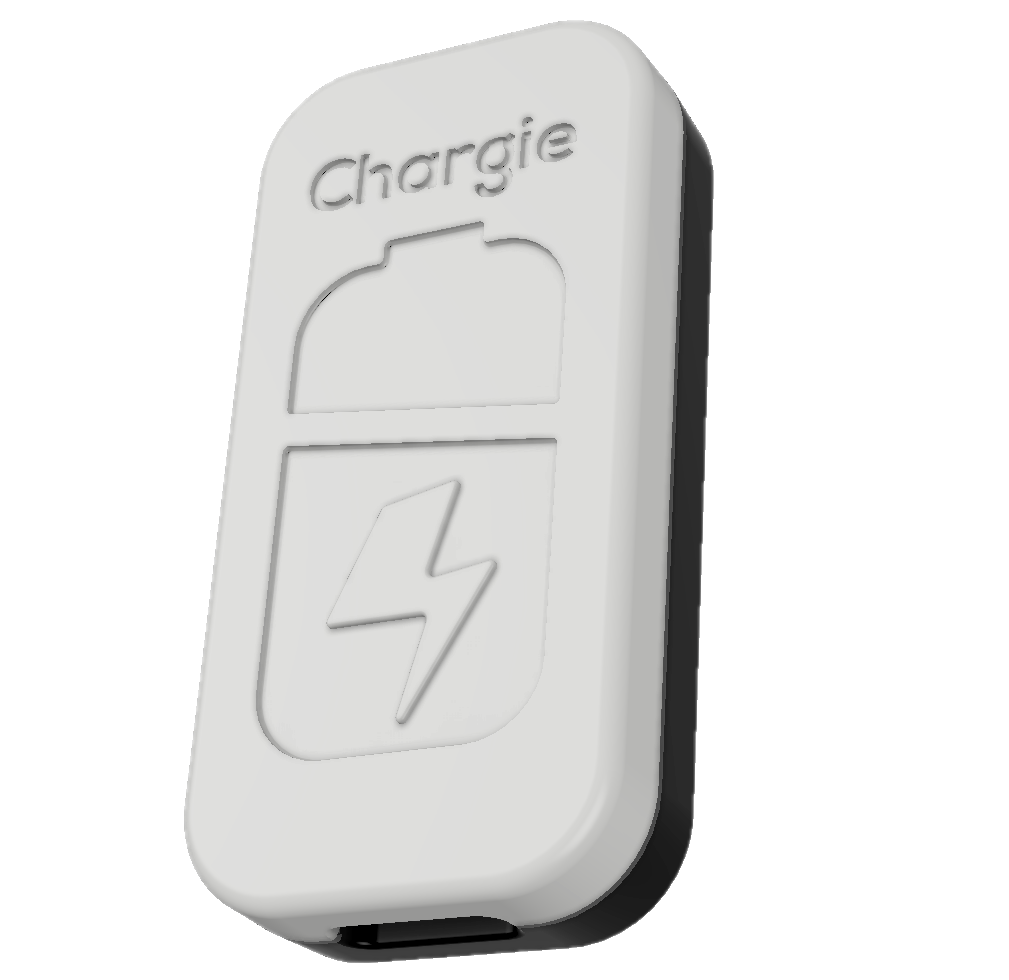
- Yes:Charge limit · Hardware relay, 20% to 100%
- Partial:Sailing mode · Crude 5% relay hysteresis
- No:Low Power Mode automation
Battery health
Chargie has an over-temperature cutoff and no health or cycle readout. MacBookBatteryMonitor shows health, cycles against the design limit, and temperature.
MacBookBatteryMonitorWinner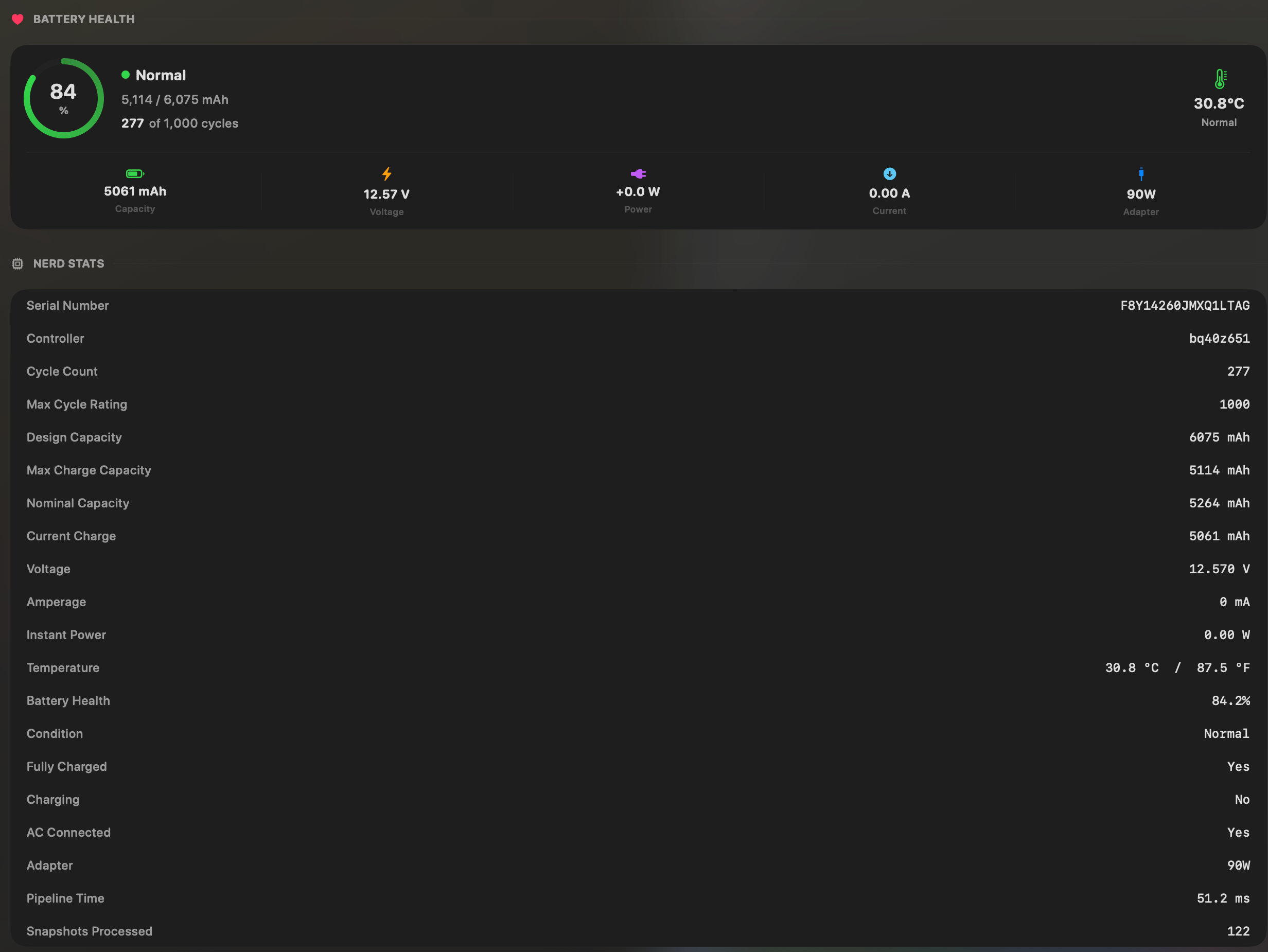
- Yes:Battery health % · Health % + condition label
- Yes:Cycle count · Cycles + design cycle count
- Yes:Battery temperature · °C / °F with status label
Chargie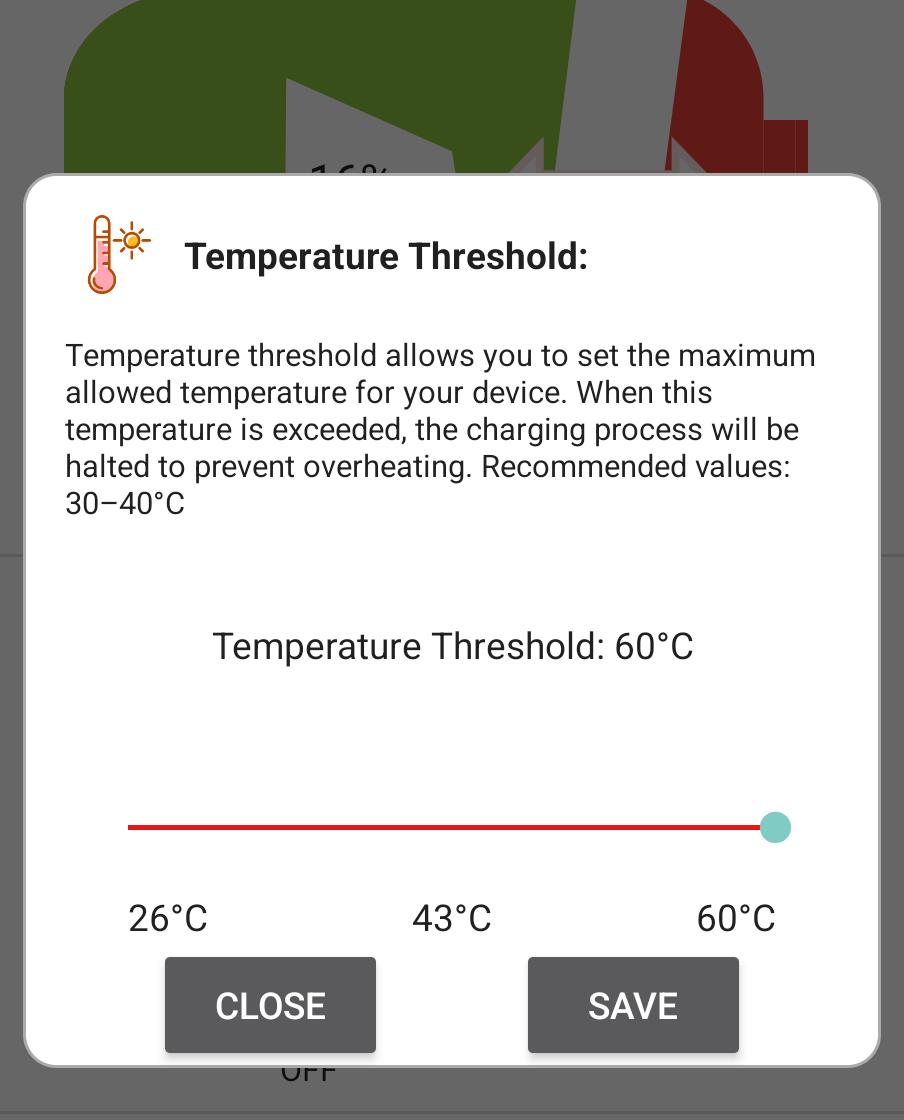
- No:Battery health %
- No:Cycle count
- Partial:Battery temperature · Over-temp cutoff only
Menu bar and history
Chargie's companion app configures the dongle. MacBookBatteryMonitor lives in the menu bar and keeps a battery level history from 1 hour to 7 days.
MacBookBatteryMonitorWinner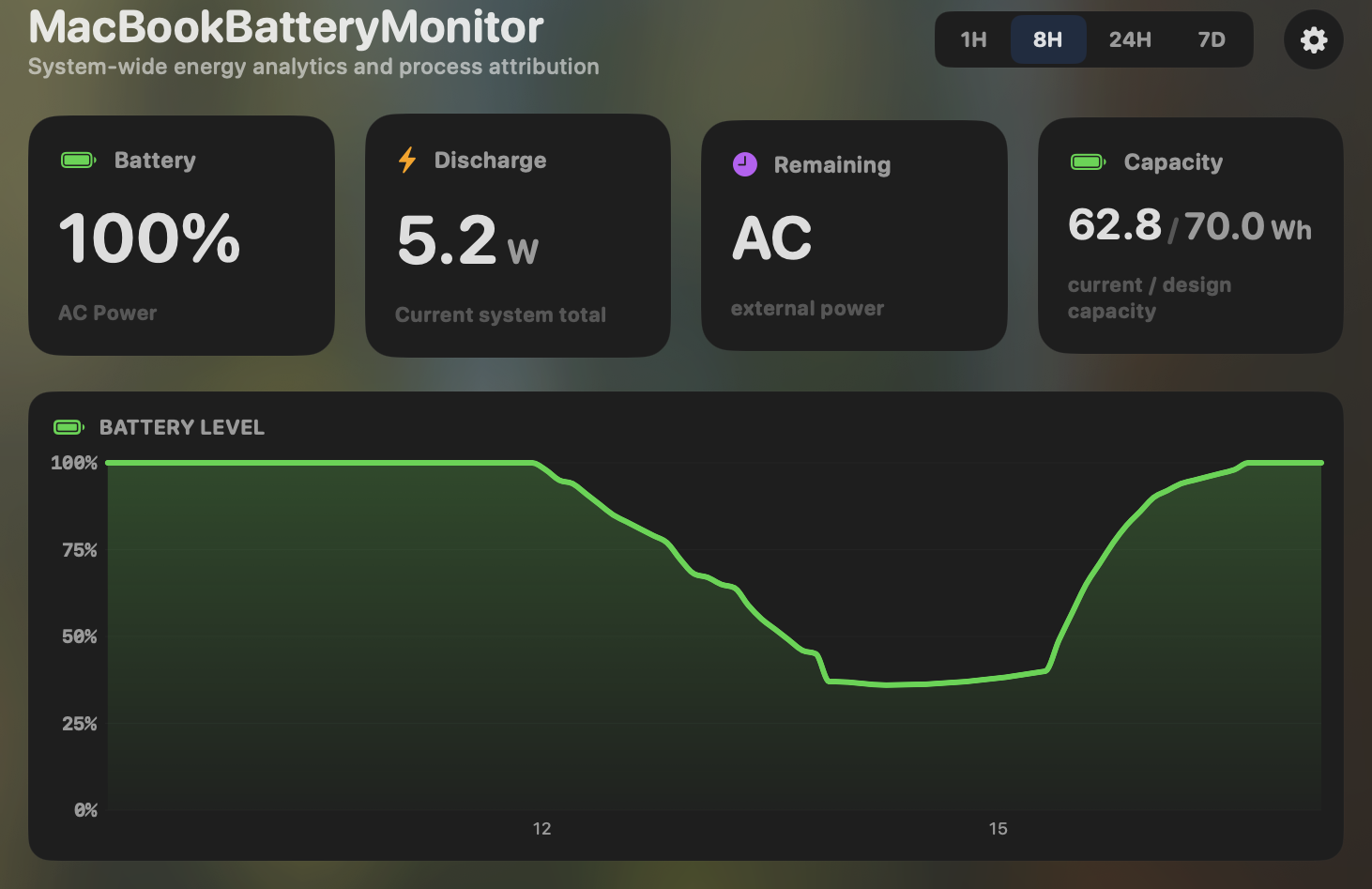
- Yes:Menu-bar first · Native, configurable icon
- Yes:History charts · 6h / 24h / 7d + per-app
Chargie- No:Menu-bar first · Companion app only
- No:History charts
Feature comparison
 MacBookBatteryMonitor
Why consider MacBookBatteryMonitor
See the drain, then do something about it
Chargie is a hardware relay. MacBookBatteryMonitor limits charging in software over SMC, with Sailing Mode, per-app watts, and per-app controls, for one price with no dongle.
What Chargie does
Chargie is a hardware USB charge limiter. It is a physical dongle you plug between your charger and your device. You set a target percentage in a companion app over Bluetooth, and when the battery hits that target the dongle physically opens a relay and cuts current at the cable, then resumes after a roughly 5% drop. There is an Appless Mode that stores the limit in the device itself, so it enforces the cap even if the laptop or phone is off or has no operating system. The laptop version is $49.99 on sale or $69.99 regular for the 100W USB-C PD model, with multi-pack discounts, and you need one physical unit per device. Its genuine strengths are that it works on anything that charges over USB (phones, Windows and Linux laptops, tablets, drones), and that it keeps enforcing the cap if your Mac crashes, freezes during an update, or if Apple ever changes the charging API. It does no monitoring. It reads voltage, current, and power at the port, but has no battery health, no cycle count, no per-app attribution, and no software intelligence. Its Sailing Mode analog is the same crude relay hysteresis, which micro-cycles the battery rather than holding it steady.
What MacBookBatteryMonitor does
MacBookBatteryMonitor does the same job of charge limiting in software, talking to the SMC directly. It holds a 50% to 100% charge limit and runs a true continuous Sailing Mode that holds the battery steady while plugged in, rather than relay-cycling it. It also does everything Chargie cannot do by definition, because a hardware cutoff only opens or closes a circuit: real per-app power draw in watts, a component breakdown, battery health and cycle count, hidden drain from Docker, cloudflared, and launchd, automated Low Power Mode, and per-app actions including a CPU throttle, an E-core offload toggle, and a one-click kill. It is a one-time purchase that covers every Mac you own, with no per-device hardware to buy, lose, or fail. The trade-off is that it is Mac-only on Apple Silicon, and it depends on OS-level APIs that Apple could in theory change.
Which one should you pick?
Chargie is the right choice if you need charge limiting on non-Apple devices, or if the OS-independent reliability of a hardware cutoff matters to you. MacBookBatteryMonitor is the better choice for a Mac user who wants the same charge-limit outcome in software, plus true Sailing Mode, plus all the monitoring and per-app control a hardware relay cannot provide, without buying a dongle per device.
Related guides
Frequently asked questions
Is hardware charge limiting more reliable than software?
In pathological cases, yes. If your Mac kernel panics, freezes during a macOS update, or Apple removes the SMC charging interface, Chargie still enforces the cap because it sits outside the computer. For day-to-day operation on a working Mac, both approaches hold the battery at your target percentage.
Does Chargie have Sailing Mode?
A crude version. When Chargie hits its limit it cuts power and the laptop runs on battery until it drops about 5%, then resumes. That is coarse charge and discharge cycling. MacBookBatteryMonitor holds the battery steady while plugged in, which is what a real Sailing Mode is meant to do.
Why would I pay for software instead of a one-off hardware dongle?
Because Chargie is one dongle per device at roughly $50 to $70 each, and it only cuts current. MacBookBatteryMonitor is one purchase for every Mac you own, and it also shows per-app watts, battery health, hidden drain, and lets you throttle or kill the apps causing drain. A hardware relay cannot do any of that.
Sources
Feature and pricing claims on this page come from Chargie’s own documentation and Apple’s published guidance.