Comparison
CleanMyMac vs MacBookBatteryMonitor
CleanMyMac is a big cleanup and security suite that happens to include a small battery readout. MacBookBatteryMonitor is a battery specialist. Here is the honest split.
 vs
vs
Price
In US dollars.
MacBookBatteryMonitor92% lessCleanMyMacSide by side
Finding the app that is draining the battery, and stopping it
CleanMyMac has no per-app power view. MacBookBatteryMonitor ranks every running app by watts, flags hidden workloads, and puts a CPU cap, an E-core offload toggle, and a kill button on each row.
MacBookBatteryMonitorWinner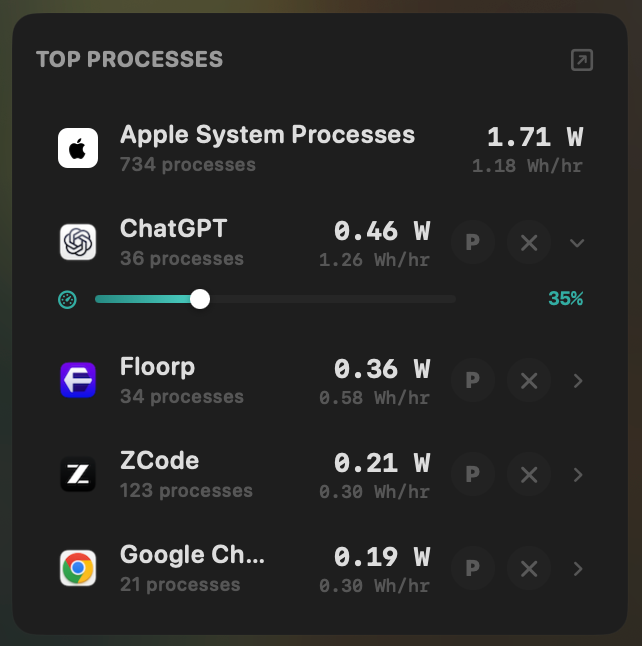
- Yes:Live per-app power draw · Process-level, real-time
- Yes:Hidden-workload detection · Docker, cloudflared, launchd
- Yes:Per-app CPU throttle · 10% to 100% slider
- Yes:E-core offload · Per-app toggle
- Yes:One-click kill · Runaway apps + subprocesses
CleanMyMac- No:Live per-app power draw
- No:Hidden-workload detection
- No:Per-app CPU throttle
- No:E-core offload
- No:One-click kill
Seeing where the power goes
CleanMyMac shows no system power figures. MacBookBatteryMonitor shows the live total in watts, split into CPU+GPU, RAM, display, and USB.
MacBookBatteryMonitorWinner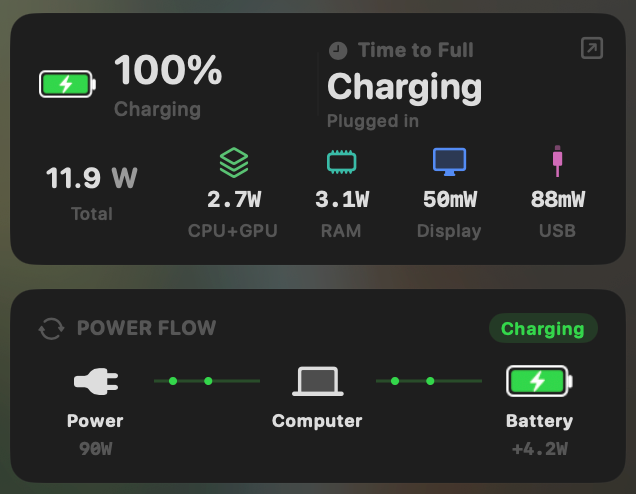
- Yes:System total power draw · Live, in watts
- Yes:Power breakdown by component · CPU / GPU / RAM / Display / USB
CleanMyMac- No:System total power draw
- No:Power breakdown by component
Charge limit and Sailing Mode
CleanMyMac has no charge control. MacBookBatteryMonitor sets a 50% to 100% charge limit over SMC, sails to it while plugged in, and switches on Low Power Mode by itself.
MacBookBatteryMonitorWinner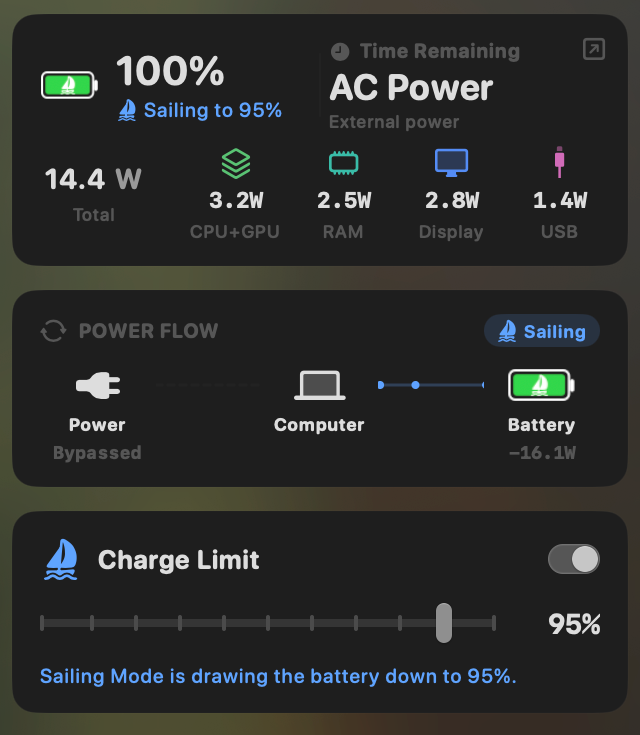
- Yes:Charge limit · 50% to 100% via SMC
- Yes:Sailing mode · Discharge while plugged in
- Yes:Low Power Mode automation · Auto below a threshold
CleanMyMac- No:Charge limit
- No:Sailing mode
- No:Low Power Mode automation
Battery health
CleanMyMac shows battery capacity and temperature in its menu bar panel. MacBookBatteryMonitor shows health, cycles against the design limit, capacity, temperature, and voltage in one panel.
MacBookBatteryMonitorWinner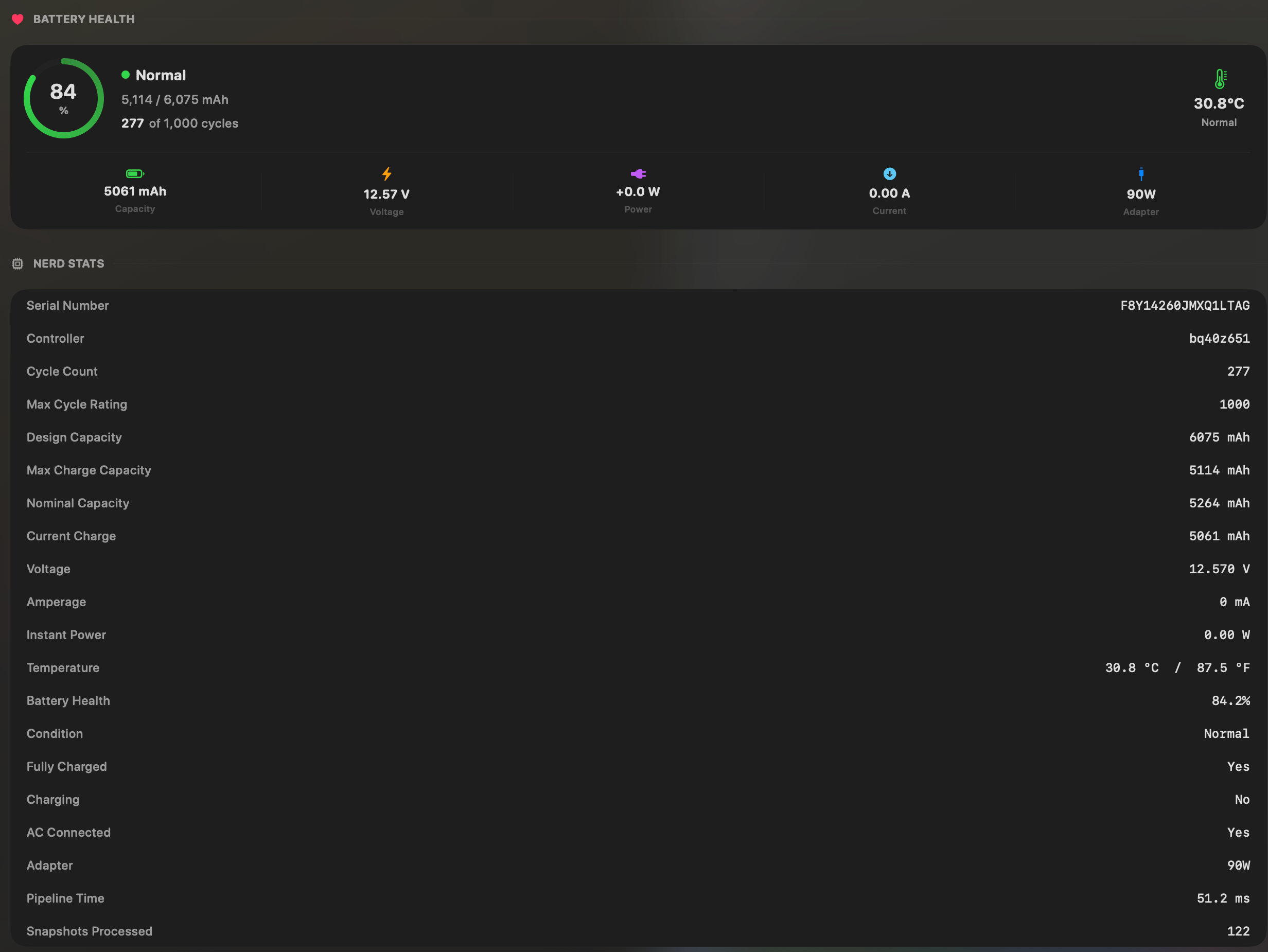
- Yes:Battery health % · Health % + condition label
- Yes:Cycle count · Cycles + design cycle count
- Yes:Battery temperature · °C / °F with status label
CleanMyMac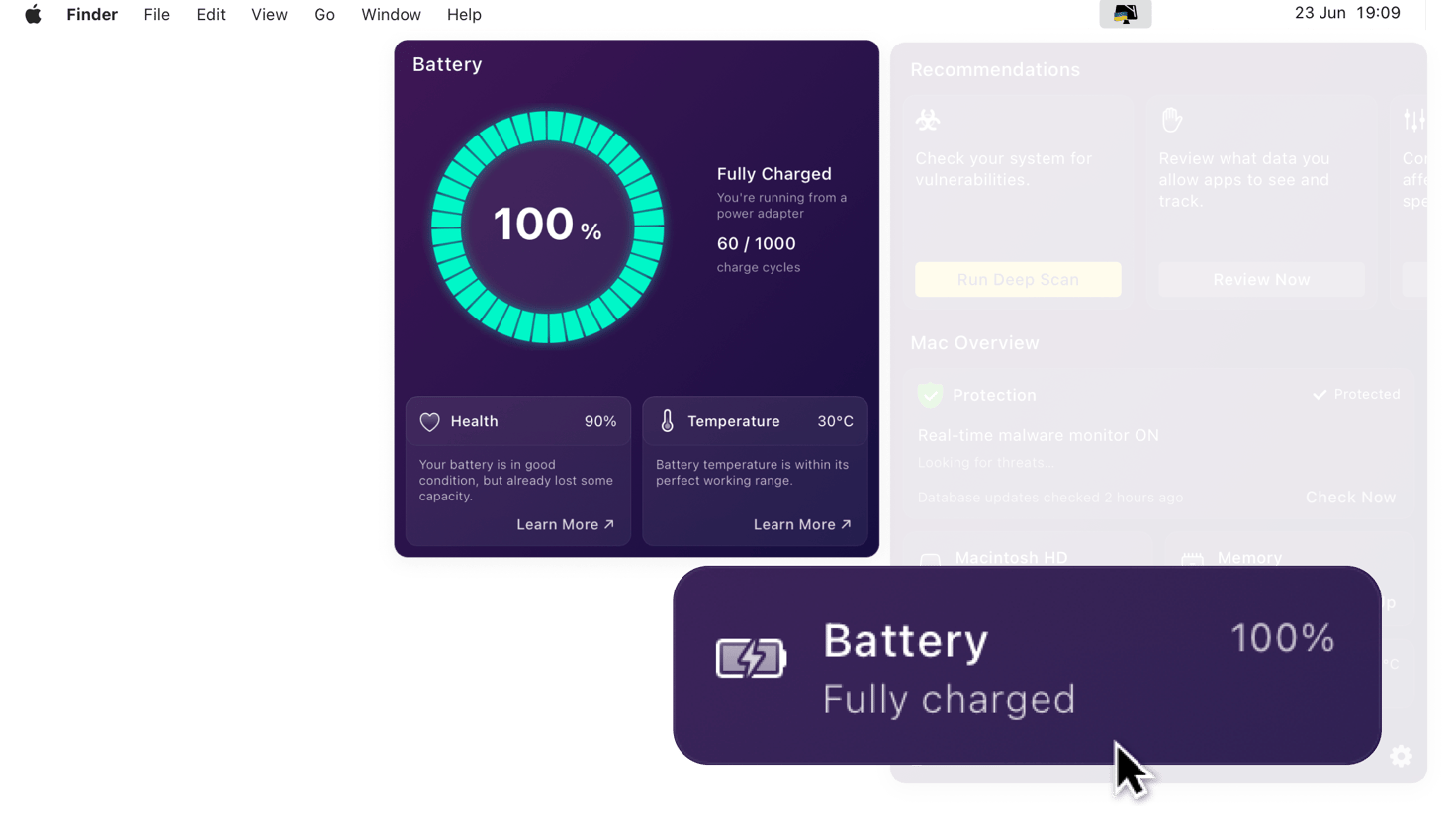
- Yes:Battery health % · Capacity ratio
- Partial:Cycle count · Referenced generically
- Yes:Battery temperature
Menu bar and history
CleanMyMac has a menu bar item that opens into its window. MacBookBatteryMonitor lives in the menu bar and keeps a battery level history from 1 hour to 7 days.
MacBookBatteryMonitorWinner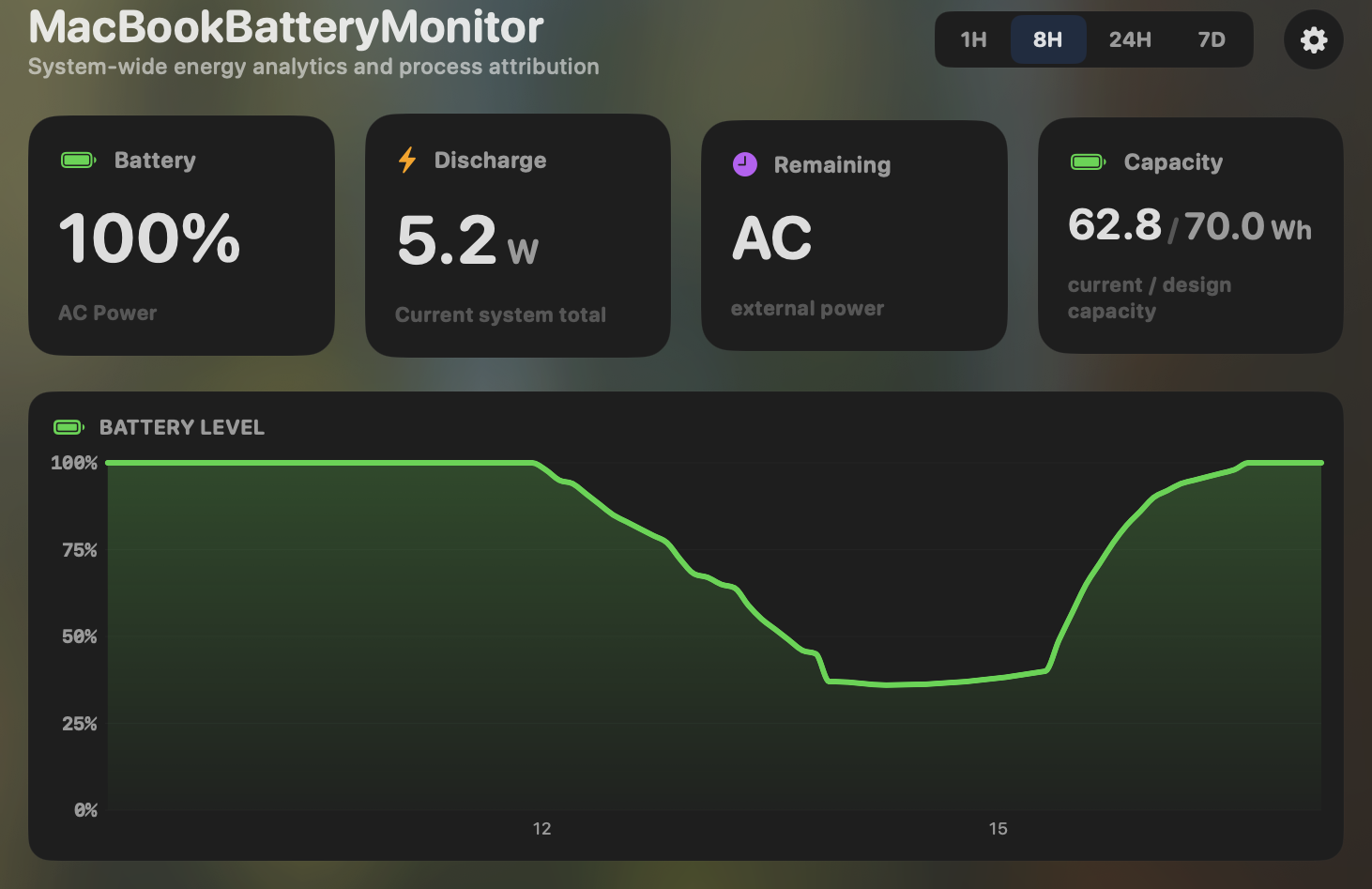
- Yes:Menu-bar first · Native, configurable icon
- Yes:History charts · 6h / 24h / 7d + per-app
CleanMyMac
- Partial:Menu-bar first · Has a menu-bar item, window focus
- No:History charts
Feature comparison
 MacBookBatteryMonitor
Why consider MacBookBatteryMonitor
See the drain, then do something about it
CleanMyMac is a cleanup suite with a battery readout. MacBookBatteryMonitor is a battery tool: per-app watts, charge control, and per-app actions, for $9 once.
What CleanMyMac does
CleanMyMac, by MacPaw, is a cleanup, optimisation, and security suite. Its core is junk and cache removal, a malware and adware scanner, a full uninstaller with leftover-file cleanup, a storage visualiser, an app updater, and privacy and shredder tools. Battery is a small, read-only module inside that, showing a health percentage (actual versus designed capacity) and temperature. It has no per-app power draw, no charge limiting, no Sailing Mode, no Low Power Mode automation, and no per-app process control. Its own documentation directs users to macOS’s built-in battery health management for anything beyond reading the percentage. It runs on macOS 11 and up, Intel and Apple Silicon, and is sold as a subscription at roughly $39.95 a year, with a punitive $119.95 one-time option that effectively steers users to the subscription.
What MacBookBatteryMonitor does
MacBookBatteryMonitor is a battery-only tool. It shows real per-app power draw in watts, a component breakdown (CPU, GPU, RAM, display, USB), cycle count against the design limit, hidden drain from Docker, cloudflared, and launchd, and the controls CleanMyMac does not have: a 50% to 100% charge limit over SMC, Sailing Mode, automated Low Power Mode, and per-app actions including a CPU throttle, an E-core offload toggle, and a one-click kill. It does not do cleanup, malware scanning, uninstallation, or storage visualisation. It is Apple-Silicon-only on macOS 14.6 and up, and it is a one-time purchase with no subscription.
Which one should you pick?
CleanMyMac is a much broader product, and if you want cleanup, malware scanning, and an uninstaller, it does all of that competently. Its battery module is a sidebar that shows a health percentage. MacBookBatteryMonitor is for people whose actual problem is the battery: real per-app watts, charge control, and the ability to throttle or kill what is draining you, without a yearly fee. Different jobs.
Related guides
Frequently asked questions
Does CleanMyMac show per-app power draw?
No. Its battery module is read-only, showing a health percentage and temperature. It has no process-level power attribution and no charge control.
Can CleanMyMac limit charging?
No. CleanMyMac has no charge limiting, no Sailing Mode, and no Low Power Mode automation. Its own docs point users to macOS’s built-in battery settings for anything beyond reading the health percentage.
Why is MacBookBatteryMonitor a one-time purchase when CleanMyMac is a subscription?
Different scope and model. CleanMyMac is a broad suite sold as a yearly subscription. MacBookBatteryMonitor is a specialist tool sold once. If you only need the battery half, paying yearly for a cleanup suite does not make sense.
Sources
Feature and pricing claims on this page come from CleanMyMac’s own documentation and Apple’s published guidance.