Comparison
Battery Buddy vs MacBookBatteryMonitor
Battery Buddy is a different kind of app: it exists to make the battery icon nicer to look at. It is not a monitor or a control tool. Here is the honest comparison anyway, because people ask.
 vs
vs
Side by side
Finding the app that is draining the battery, and stopping it
Battery Buddy has no process view. MacBookBatteryMonitor ranks every running app by watts, flags hidden workloads, and puts a CPU cap, an E-core offload toggle, and a kill button on each row.
MacBookBatteryMonitorWinner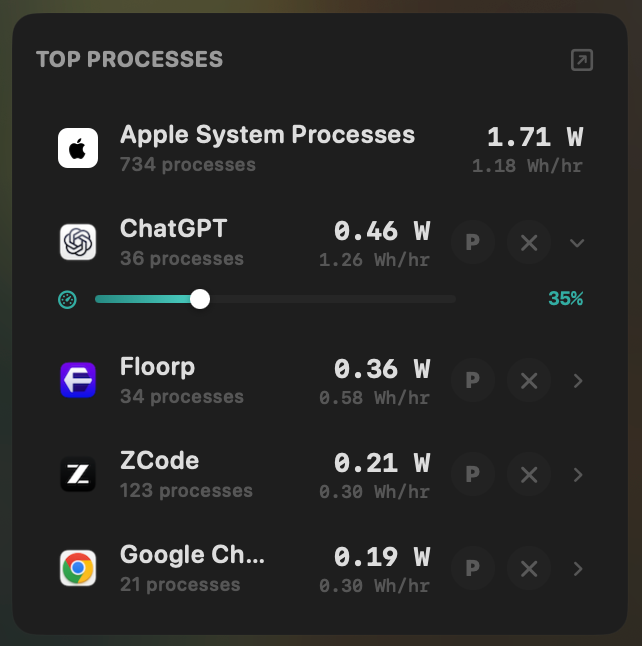
- Yes:Live per-app power draw · Process-level, real-time
- Yes:Hidden-workload detection · Docker, cloudflared, launchd
- Yes:Per-app CPU throttle · 10% to 100% slider
- Yes:E-core offload · Per-app toggle
- Yes:One-click kill · Runaway apps + subprocesses
Battery Buddy- No:Live per-app power draw
- No:Hidden-workload detection
- No:Per-app CPU throttle
- No:E-core offload
- No:One-click kill
Seeing where the power goes
Battery Buddy shows percentage, charging state, and time remaining. MacBookBatteryMonitor shows the live system total in watts, split into CPU+GPU, RAM, display, and USB.
MacBookBatteryMonitorWinner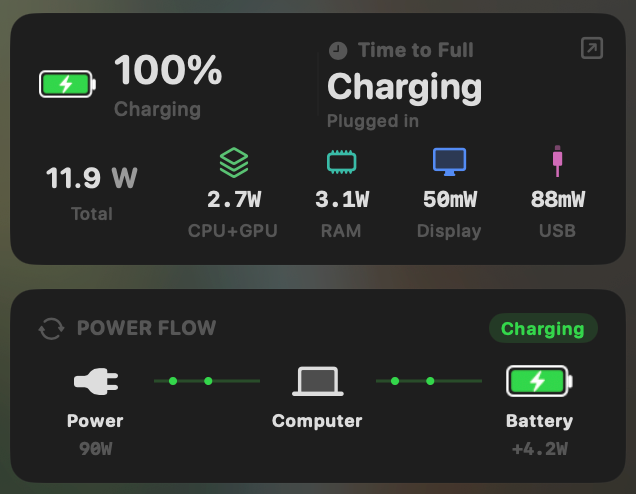
- Yes:System total power draw · Live, in watts
- Yes:Power breakdown by component · CPU / GPU / RAM / Display / USB
Battery Buddy- No:System total power draw
- No:Power breakdown by component
Charge limit and Sailing Mode
Battery Buddy has no charge control. MacBookBatteryMonitor sets a 50% to 100% charge limit over SMC, sails to it while plugged in, and switches on Low Power Mode by itself.
MacBookBatteryMonitorWinner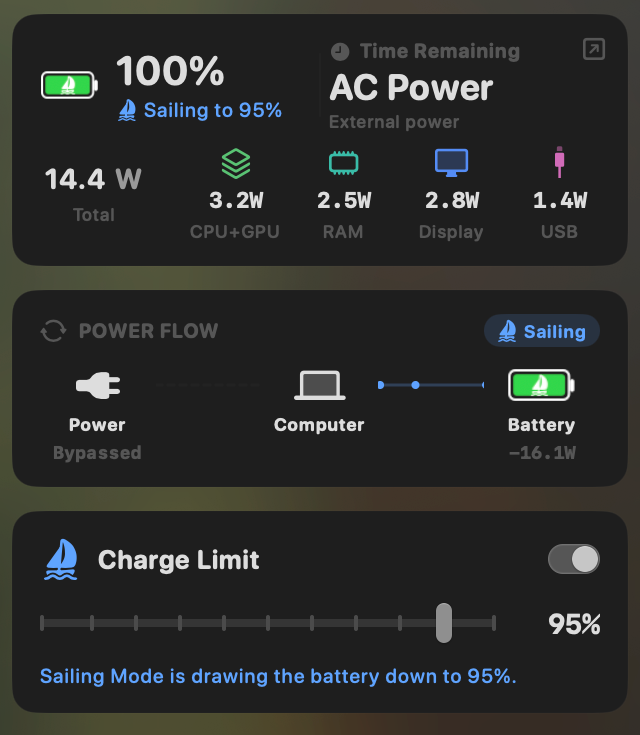
- Yes:Charge limit · 50% to 100% via SMC
- Yes:Sailing mode · Discharge while plugged in
- Yes:Low Power Mode automation · Auto below a threshold
Battery Buddy- No:Charge limit
- No:Sailing mode
- No:Low Power Mode automation
Battery health
Battery Buddy shows no health, cycle count, or temperature. MacBookBatteryMonitor shows all three, with cycles against the design limit and a condition label.
MacBookBatteryMonitorWinner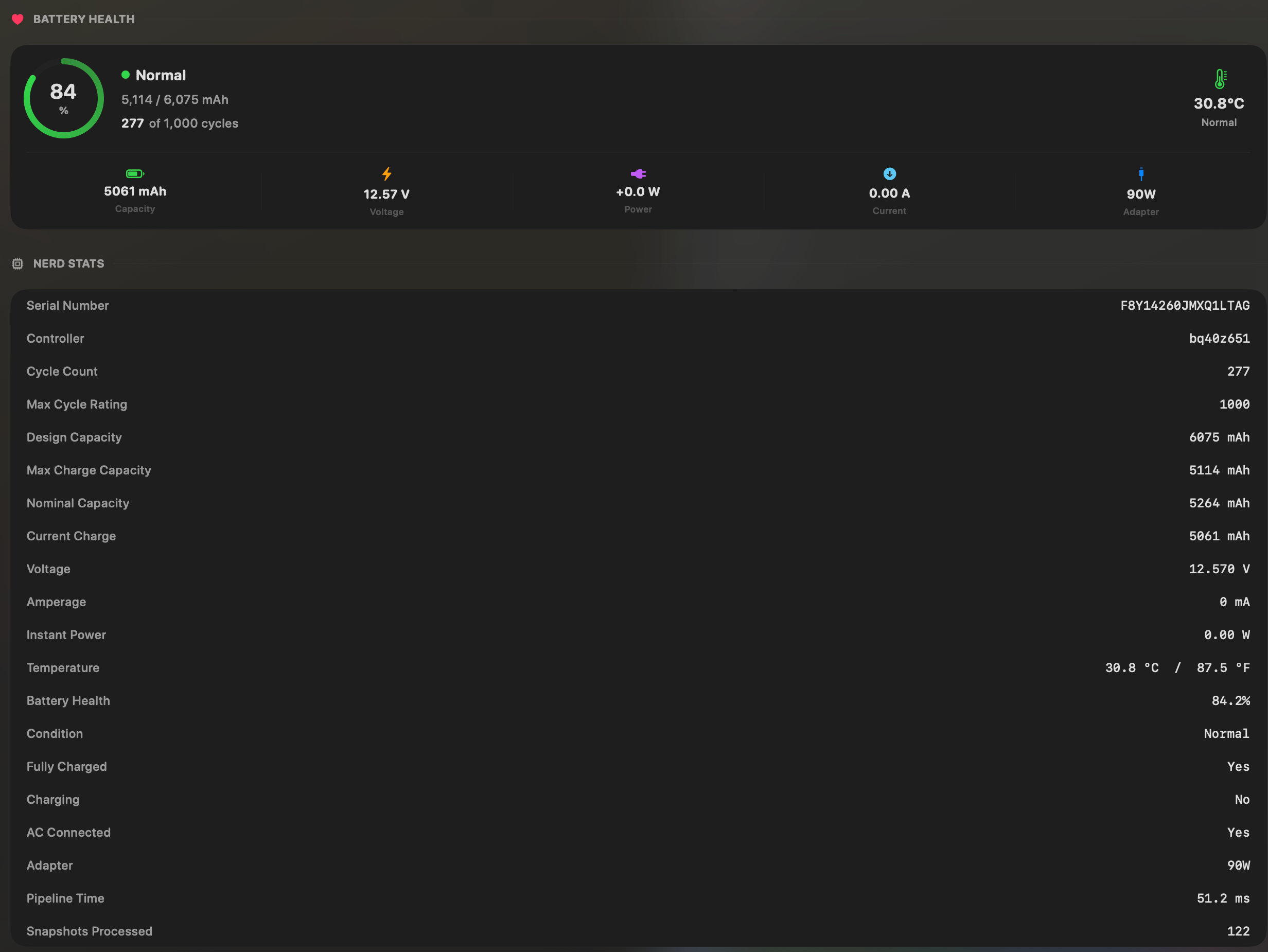
- Yes:Battery health % · Health % + condition label
- Yes:Cycle count · Cycles + design cycle count
- Yes:Battery temperature · °C / °F with status label
Battery Buddy- No:Battery health %
- No:Cycle count
- No:Battery temperature
Menu bar and history
Battery Buddy is entirely a menu bar icon: one of four faces whose expression changes with charge level. MacBookBatteryMonitor is a menu bar app too, with a battery level history from 1 hour to 7 days behind it.
MacBookBatteryMonitorWinner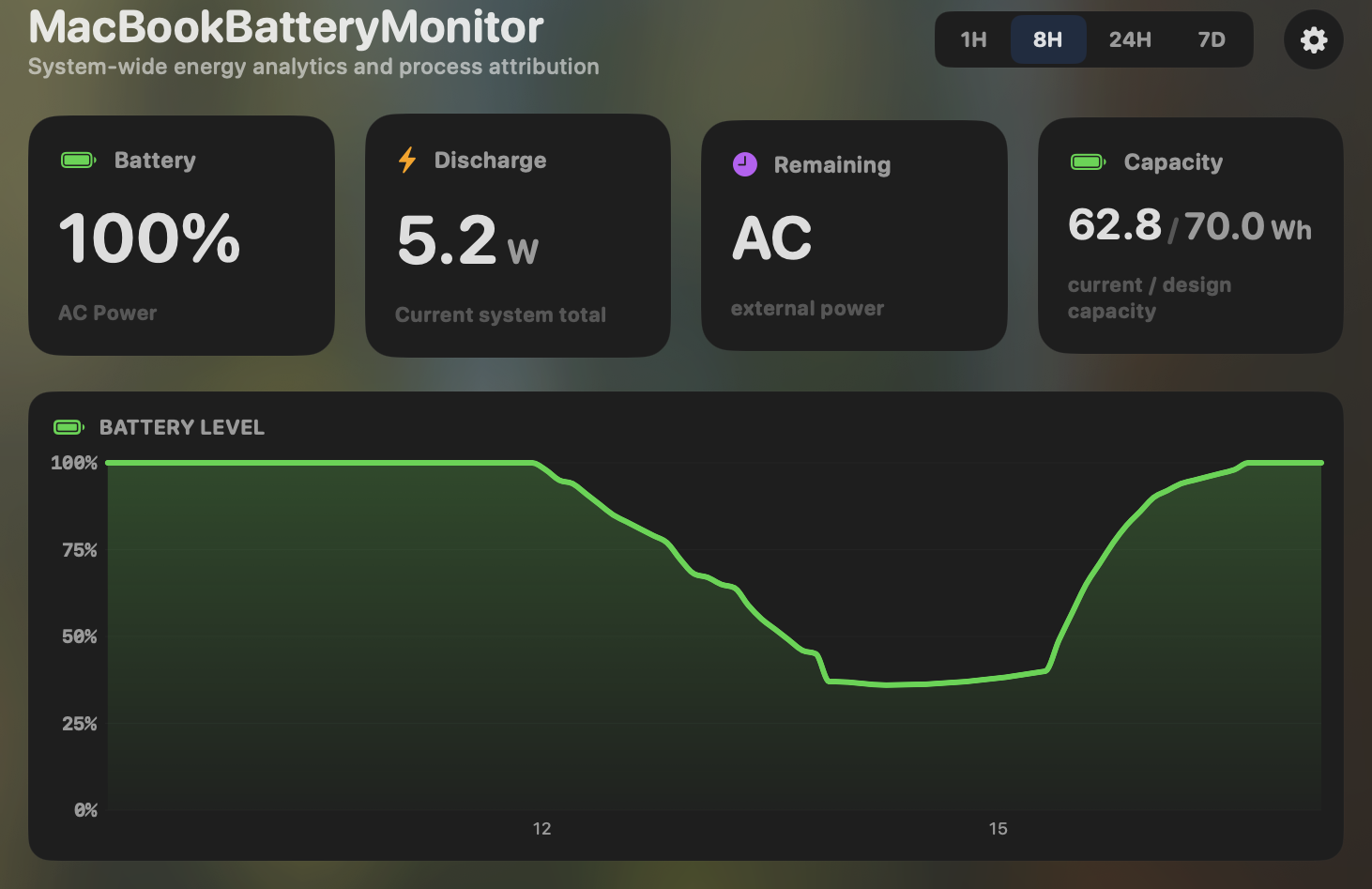
- Yes:Menu-bar first · Native, configurable icon
- Yes:History charts · 6h / 24h / 7d + per-app
Battery Buddy
- Yes:Menu-bar first · The whole app
- No:History charts
Feature comparison
 MacBookBatteryMonitor
Why consider MacBookBatteryMonitor
See the drain, then do something about it
Battery Buddy makes the battery icon cute. MacBookBatteryMonitor shows what is draining the battery and lets you do something about it.
What Battery Buddy does
Battery Buddy, by Neil Sardesai, is a free menu-bar app that replaces the stock macOS battery icon with one of four kawaii faces whose expression changes with charge level. At 20% and below it looks sad. Click it and you get the percentage, charging status, and time remaining. That is the entire app. There is no health percentage, no cycle count, no temperature, no per-app power, no charge limiting, and no process management. It is roughly 1.4 megabytes, makes no network connections except update checks, and collects no data. It has been essentially feature-complete since early 2021 and receives only minor maintenance. It runs on macOS 11 and up, Intel and Apple Silicon. Its job is charm, not information.
What MacBookBatteryMonitor does
MacBookBatteryMonitor is the opposite end of the spectrum. It is built around information and control: real per-app wattage, a component power breakdown, battery health and cycle count against the design limit, hidden drain from Docker, cloudflared, and launchd, a 50% to 100% charge limit, Sailing Mode, automated Low Power Mode, and per-app actions including a CPU throttle, an E-core offload toggle, and a one-click kill. It does not have a cute face. Its menu-bar icon is functional and configurable. It is a paid, Apple-Silicon-only app on macOS 14.6 and up, where Battery Buddy is free and runs on almost anything.
Which one should you pick?
Battery Buddy and MacBookBatteryMonitor are built for opposite users. If you want a friendlier battery icon and nothing else, Battery Buddy is perfect, it is free, and you should install it. If you want to know which apps are draining your battery and do something about it, Battery Buddy does not try to help with that. These are not really substitutes for each other.
Related guides
Frequently asked questions
Does Battery Buddy show battery health or cycle count?
No. It shows percentage, charging status, and time remaining. It has no health, cycle count, temperature, or any per-app data. It is purely an aesthetic replacement for the stock icon.
Is Battery Buddy a serious alternative to a battery monitor?
Not for monitoring. It is a serious app at what it does, which is charm. If you want to actually understand or manage your battery, you need a different tool.
Can you run both?
Yes. Battery Buddy replaces the menu-bar icon, while MacBookBatteryMonitor adds its own icon and popover. They do not conflict. Some users will reasonably run both.
Sources
Feature and pricing claims on this page come from Battery Buddy’s own documentation and Apple’s published guidance.